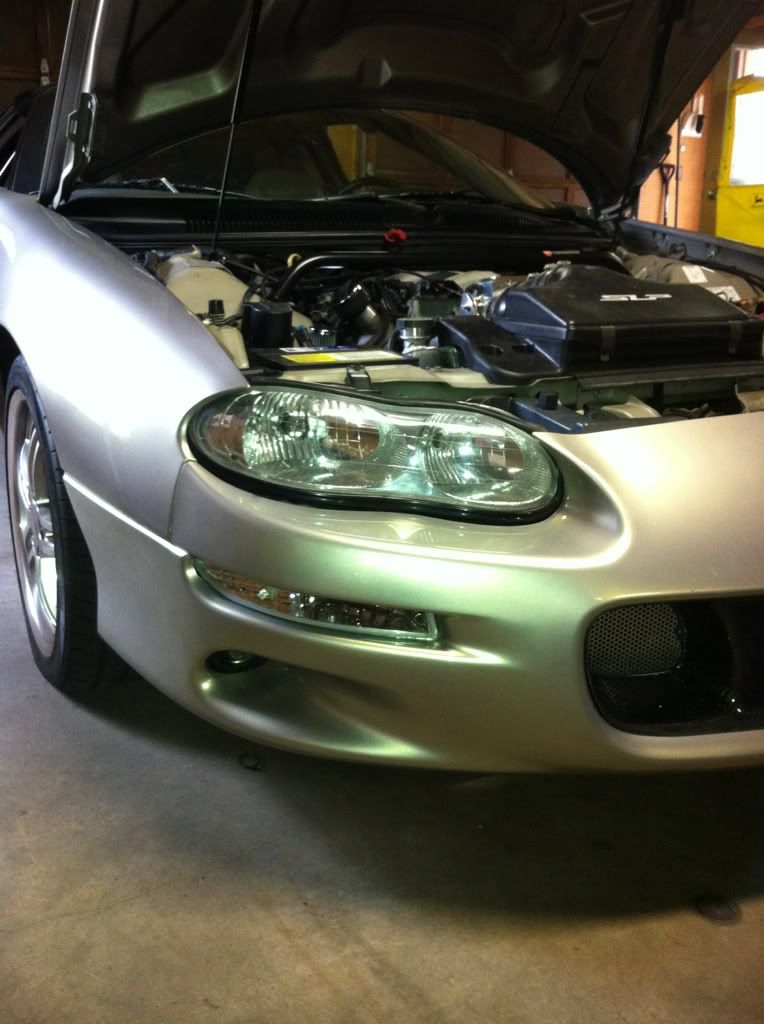
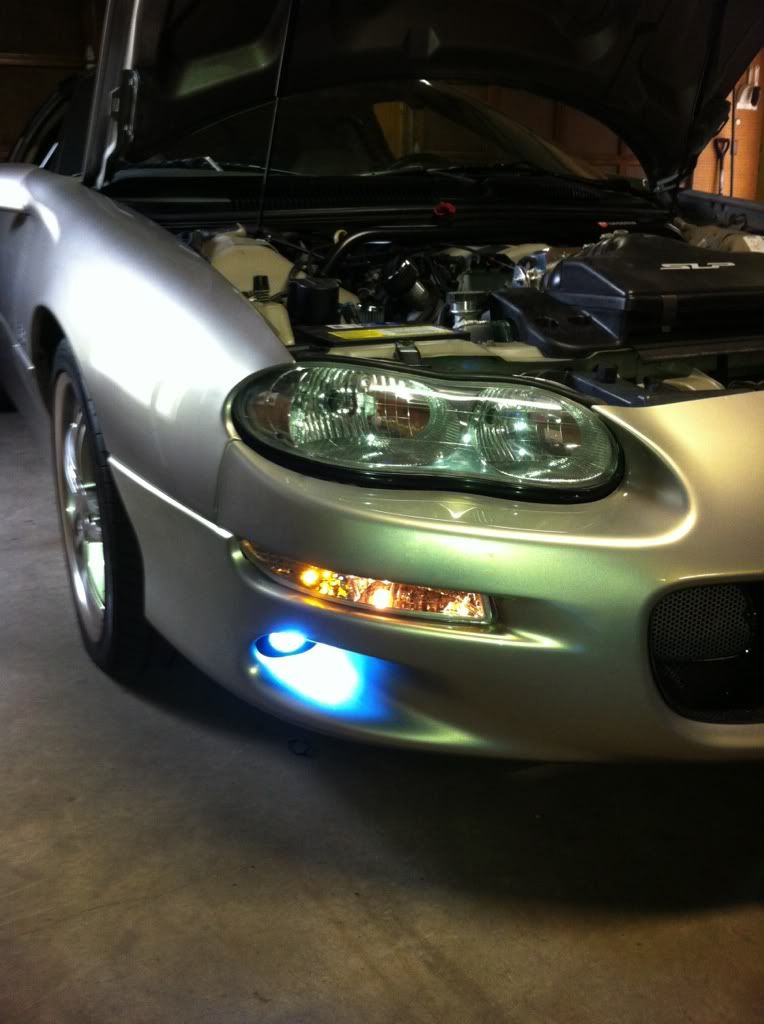
Marker light removal. Haha
 05-01-2012, 08:25 PM
#1
10 Second Club
Thread Starter
iTrader: (19)

Join Date: Sep 2010
Location: Carbondale, PA
Posts: 250
Likes: 0
Received 0 Likes
on
0 Posts

 Marker light removal. Haha
 Ok tonight I received my clear maker lights and figured I would go out and toss them in. I took out the two screws and the light is loose but I cannot figure out how to get it out of the like bracket or whatever it mounts to. I played around with the driver side for about 20 minutes, then had to get ready to go to work but can someone give me like a dumbed down 5 year old version of the instructions to remove these??? I am trying to access them from the top which is easy for me ( small hands) I even changed my foglight bulbs from up top. But yeah some instructions or pictures would be great. Haha I feel like a huge dumb@$$
 05-01-2012, 10:12 PM
#2

LoL you have to raise the smaller side up and sort of force it around the parts that get in the way. It sounds bad but I've done it multiple times and could do the entire swap in 15 minutes now lol
05-03-2012, 12:02 AM
#4
TECH Junkie

Join Date: Oct 2009
Location: Rutherford, North Carolina
Posts: 3,552
Likes: 0
Received 1 Like
on
1 Post
Best way I've learned was to take the headlight's out that way you can just reach down and take the corner lights out without anything in the way for you to possibly break or damage. Works for me though.
05-03-2012, 04:09 AM
#5
10 Second Club
Thread Starter
iTrader: (19)
Join Date: Sep 2010
Location: Carbondale, PA
Posts: 250
Likes: 0
Received 0 Likes
on
0 Posts
Well I tried for like two minutes today and still no luck. Haha I'm gonna pull it over my pit tomorrow and see how it looks underneath. It seems like it'll be easier to get to that way.

Trending Topics
05-03-2012, 07:55 PM
#8
TECH Junkie
Join Date: Oct 2009
Location: Rutherford, North Carolina
Posts: 3,552
Likes: 0
Received 1 Like
on
1 Post
Yeah you take the headlights out and you can see 3/4 of the corner light cause of the front, side and back. Just take and pick up on the very outside part of the corner light and kinda tug on it while picking up on the outside corner.
 05-04-2012, 11:04 AM
#10
TECH Regular

Did you check for the screw on the bottom of the housing? I don't want to offend but I am pretty sure there are 3 screws holding those in. I never put the bottom one back in my car because it was a pain but it was there originally. Oh and like everyone said take the headlights out, it'll be much easier. You'll be able to get the lenses loose with the headlights in but getting them out from where they are is really tricky with the headlights taking up so much space.
Jessica
Jessica
05-04-2012, 11:09 AM
#11
TECH Junkie
Join Date: Oct 2009
Location: Rutherford, North Carolina
Posts: 3,552
Likes: 0
Received 1 Like
on
1 Post
^ There's only two in the corner lights and there in the back of the housing itself. If there where three and one went through the bottom, it would come straight up through the light itself.
The problem the OP is running into is having to force them out so he can put in his new ones.
The problem the OP is running into is having to force them out so he can put in his new ones.
05-04-2012, 09:34 PM
#12
TECH Regular
Hey,
I don't mind being wrong...but I'm not, there are three screws holding them in I've got a pic. I know for a fact they don't need the bottom screw so maybe yours was missing. Either way I'd say this guy needs to get the headlights out to get the marker lights out easy.
Jessica

I don't mind being wrong...but I'm not, there are three screws holding them in
I've got a pic. I know for a fact they don't need the bottom screw so maybe yours was missing. Either way I'd say this guy needs to get the headlights out to get the marker lights out easy.Jessica
 05-05-2012, 02:19 PM
#16
TECH Junkie
Join Date: Oct 2009
Location: Rutherford, North Carolina
Posts: 3,552
Likes: 0
Received 1 Like
on
1 Post
I plan on going back to the factory housings any way after I can get the stuff to clean the stockers up so I'll be sure to check that out when I do and if mine isn't some freak accident and was only came with two holes and I just over looked the third one, I may put all three back in just for extra comfort,
 .
05-05-2012, 02:38 PM
.
05-05-2012, 02:38 PM
#17
TECH Regular
Yeah those are my black clear lenses not on the car...as you can (maybe) see in the blurry pic there is a screw in it still I didn't install them back with 3 it was too much of a pain.
Jess
Jess
05-05-2012, 06:17 PM
#18
10 Second Club
Thread Starter
iTrader: (19)
Join Date: Sep 2010
Location: Carbondale, PA
Posts: 250
Likes: 0
Received 0 Likes
on
0 Posts
Ok I finally got them out the other day. They were pretty hard coming out but nonetheless they are out and the new ones are in. It seemed the clear ones went in alot easier then the old ones. Thanks for the help though guys.