




PHOTOSHOP, put them HERE

Joined: Oct 2006
Posts: 2,608
Likes: 0
From: Webb City, MO...out in the garage

where are some of you guys getting your fonts for the lettering in th sig's.....
i'm using photoshop CS2, is there somewhere i can download different fonts?
i'm using photoshop CS2, is there somewhere i can download different fonts?
TECH Apprentice
Joined: Oct 2002
Posts: 393
Likes: 0
From: Houston, Tx
http://www.1001freefonts.com/ --- I got all my fonts from there
http://simplythebest.net/fonts/ --- When I did the search this one came up but have never used it.
after you install the fonts you will have to restart Photoshop so they will appear.
http://simplythebest.net/fonts/ --- When I did the search this one came up but have never used it.
after you install the fonts you will have to restart Photoshop so they will appear.

TECH Resident
iTrader: (3)
Joined: Dec 2002
Posts: 863
Likes: 0
From: Showing Italians the power of LS1
Originally Posted by Complicated
http://www.1001freefonts.com/ --- I got all my fonts from there
http://simplythebest.net/fonts/ --- When I did the search this one came up but have never used it.
after you install the fonts you will have to restart Photoshop so they will appear.
http://simplythebest.net/fonts/ --- When I did the search this one came up but have never used it.
after you install the fonts you will have to restart Photoshop so they will appear.
http://www.bvfonts.com/
http://www.btgraphix.com/fonts.asp
http://www.webfxmall.com/fonts/
http://www.themeworld.com/fonts/index.html
Complicated, Maybe it because i'm using CS2, but I can have a document open in PS, find, D/L, and install a font online and find the new font in the dropdown menu without restarting PS.
2000_SS, download a font or fonts you like to your desktop, unzip them and extract the font file into C:/WINDOWS/Fonts. Then the new font will show up in the font selection drop down menu.
Last edited by Snootch; Jun 2, 2007 at 02:09 AM.
LS1 Tech Stories
The Best V8 Stories One Small Block at Time

Gas Monkey Built a 6-Wheel Ferrari Testarossa With a Corvette LT4 Engine
Verdad Gallardo
7 Most Reliable High-Performance Engines GM Has Ever Built
Verdad Gallardo
Amazing '71 Camaro Restomod Is Modern Muscle Car Under the Skin
Verdad Gallardo
6 Common C5 Corvette Failures and What's Involved In Repairing Them
Pouria Savadkouei
Retro Modern Bandit Pontiac Trans AM Comes With Burt Reynolds' Autograph
Verdad Gallardo
Top 10 Greatest Cadillac V Series Performance Models Ever, Ranked
Pouria Savadkouei
Top 10 Most Powerful Chevy Trucks Ever Made!
Hennessey's New Supercharged Silverado ZR2 Has 700 HP
Verdad Gallardo
Coachbuilt N2A Anteros Is an LS2-Powered C6 Corvette In Italian Clothes
Verdad Gallardo TECH Resident
iTrader: (3)
Joined: Dec 2002
Posts: 863
Likes: 0
From: Showing Italians the power of LS1
Originally Posted by bumperdragging
hey gangreen i dont mean to be a damn mosquito but do you think you could help me a bit?my pictures are on the previous page...thanks if you can help

 [/IMG]
Originally Posted by bumperdragging
hey gangreen i dont mean to be a damn mosquito but do you think you could help me a bit?my pictures are on the previous page...thanks if you can help

6 & 8 Second Club
Joined: Aug 2006
Posts: 2,284
Likes: 0
From: Illinois, RT 66 dragway area
.
Testing, trying to learn. OK, don't know if this is the proper place, but I'll ask. So I learned to scan my old pics. I got them to load in my edit program. I got the stickers off I wanted. I learned to combine them for action shots. I built slide shows. Can anyone help, why don't they play/display?? I tried both codes they gave me at imageshack. Is there something else to add, or modify. Thanks.
<embed src="http://img248.imageshack.us/slideshow/smilplayer.swf" width="320" height="240" name="smilplayer" id="smilplayer" bgcolor="FFFFFF" menu="false" type="application/x-shockwave-flash" pluginspage="http://www.macromedia.com/go/getflashplayer" flashvars="id=img248/6515/1180894060zbi.smil"/>
http://img248.imageshack.us/slidesho...894060zbi.smil
.
Testing, trying to learn. OK, don't know if this is the proper place, but I'll ask. So I learned to scan my old pics. I got them to load in my edit program. I got the stickers off I wanted. I learned to combine them for action shots. I built slide shows. Can anyone help, why don't they play/display?? I tried both codes they gave me at imageshack. Is there something else to add, or modify. Thanks.
<embed src="http://img248.imageshack.us/slideshow/smilplayer.swf" width="320" height="240" name="smilplayer" id="smilplayer" bgcolor="FFFFFF" menu="false" type="application/x-shockwave-flash" pluginspage="http://www.macromedia.com/go/getflashplayer" flashvars="id=img248/6515/1180894060zbi.smil"/>
http://img248.imageshack.us/slidesho...894060zbi.smil
.
Last edited by mrdragster1970; Jun 3, 2007 at 02:09 PM.

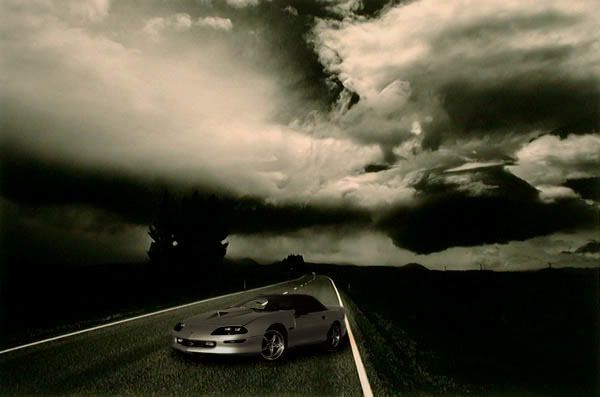
Any chance you can put my car from one of the following pics, in the stormy road pic at the bottom? (If you could work on the temperature and or saturation levels of the pic of my car so it is almost the same tone/color of the picture that would be ideal).


12 Second Club
Joined: Oct 2005
Posts: 536
Likes: 0
From: New Castle,IN- West Lafayette,IN
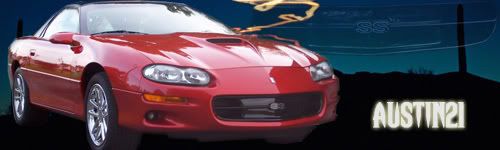
2000_SS you sig is awesome but anyways id like to have a new sig but ill wait untill i can get some better pics to use but could some one please fix my window its starting to **** me off..thank


Originally Posted by CALL911
Any chance you can put my car from one of the following pics, in the stormy road pic at the bottom?

I know you just wanted the pic but........
Thanks for the work guys. Any chance you could try to make the car just a little bigger though? It just looks to small in the pic done by complicated even though it probably fits on that road at the right size.
TECH Resident
iTrader: (3)
Joined: Dec 2002
Posts: 863
Likes: 0
From: Showing Italians the power of LS1
Originally Posted by jbutta224
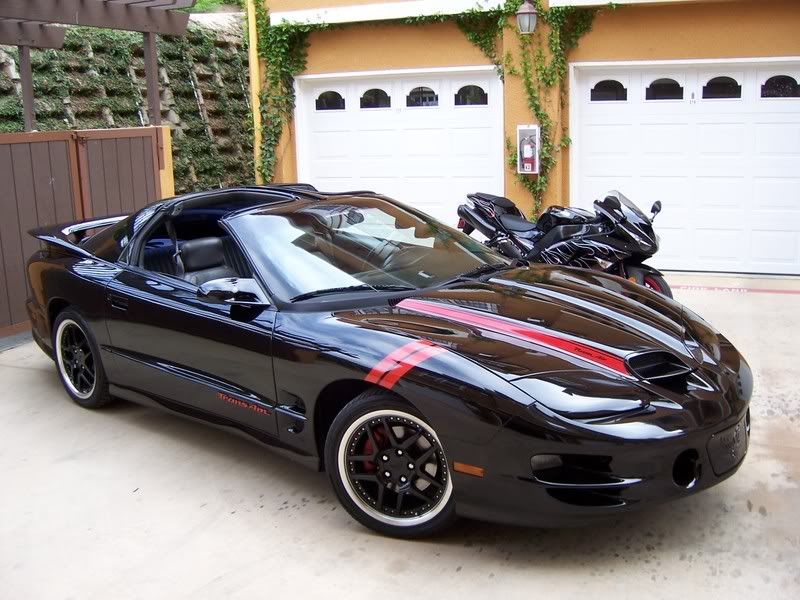
hey man can u put this with something dark in the background and put the word RESPECT across the background in red (behind the car) thank you and i dont want the bike in the background
