


i think i got somewhere today the brickwall please help

TECH Fanatic


Joined: Jan 2018
Posts: 1,045
Likes: 189

There's a LOT of information in that log, and I'm not going to study the whole thing in hopes of figuring out what you were doing.
Three questions:
1. What steps did you take in PCM Hammer?
2. What result did you expect?
3. What actually happened?
Actually, one more question - which OBD2 interface are you using? I see "STN2255 v5.8.1" in the log, but is that an ObdLink SX, or LX, or...
I know it's an ObdLink but I haven't memorized all of their device numbers (and I don't plan to).
Three questions:
1. What steps did you take in PCM Hammer?
2. What result did you expect?
3. What actually happened?
Actually, one more question - which OBD2 interface are you using? I see "STN2255 v5.8.1" in the log, but is that an ObdLink SX, or LX, or...
I know it's an ObdLink but I haven't memorized all of their device numbers (and I don't plan to).

Thread Starter
Teching In
Joined: Apr 2025
Posts: 6
Likes: 0
From: Hemet California
NSFW responding Okay so the interface I an using is the mx+ and these are the steps I tool in pcm hammer,I did a read of the pcm and saved it just in case I had to resort back for any reason okay then I went to Universal patcher and turned off the VATS then I did a Trans swap so I went back to Universal patcher and did a seg swap for the Trans cal and Trans diagnostic and applied them and saved the molded bin ,I then closed out u.p and went back to pcm hammer and selected write full flash and tried to flash the molded file I just did and that's when I got wut ever info was in that debug log I sent u.my intentions are to be able to get my silverado back on the road again with a swapped 6.0l and 4l80 and I was able to successfully flash my first pcm and it was working OKAY it would pick and choose when it wanted to communicate with my gas pedal lol I'm at my wits end and really need to get it back on the road again ASAP if u could please help me I wo
TECH Fanatic
Joined: Jan 2018
Posts: 1,045
Likes: 189
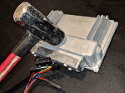
I hate to say it but I think that PCM is bricked. Sorry. 
The app got the last response from it at time 05:15:49:469 and it was a message about comparing the flash chip to the file contents, which is the last step before the app starts writing.
Then the app erased the first block of memory ([05:15:49:664), and that worked (05:15:50:756).
Then the app sent the first payload from the file, and it never got a response to that message.
Is there any chance that your battery was low at that point? With some of the P01 PCMs (the ones that have Intel flash chips) erasing takes a lot of power. We've seen cases where battery voltage or wall-wart power supply voltage dips enough to reboot the PCM. We've talked about checking voltage before flashing, and I keep forgetting to add that. I'll see if I can do it this weekend.
You should be able to recover it using this trick: https://www.customecm.com/tune-file-...d-pcm-recovery
But make sure you have a good power supply, because if voltage dipped this time, there's a good chance it'll dip next time too.
The app got the last response from it at time 05:15:49:469 and it was a message about comparing the flash chip to the file contents, which is the last step before the app starts writing.
Then the app erased the first block of memory ([05:15:49:664), and that worked (05:15:50:756).
Then the app sent the first payload from the file, and it never got a response to that message.
Is there any chance that your battery was low at that point? With some of the P01 PCMs (the ones that have Intel flash chips) erasing takes a lot of power. We've seen cases where battery voltage or wall-wart power supply voltage dips enough to reboot the PCM. We've talked about checking voltage before flashing, and I keep forgetting to add that. I'll see if I can do it this weekend.
You should be able to recover it using this trick: https://www.customecm.com/tune-file-...d-pcm-recovery
But make sure you have a good power supply, because if voltage dipped this time, there's a good chance it'll dip next time too.