



Can't get my USB to Serial to work.

Thread Starter
12 Second Truck Club
Joined: Feb 2002
Posts: 5,574
Likes: 0
From: Sacramento, CA
 Can't get my USB to Serial to work.
 I just bought a new laptop and a Belkin USB to serial adapter and now I can't get the adpapter to read anything.
Edit won't connect and niether will ATap.
The device is on and working properly according to device manager. It is using COM4.
Anyone else have this trouble?
I have a race today and I a gonna be pissed if I spent $1600 on a new computer to tune my car and I can't even hook anything up! GRRRRRRR. <img border="0" title="" alt="[Smile]" src="gr_stretch.gif" />
Edit won't connect and niether will ATap.
The device is on and working properly according to device manager. It is using COM4.
Anyone else have this trouble?
I have a race today and I a gonna be pissed if I spent $1600 on a new computer to tune my car and I can't even hook anything up! GRRRRRRR. <img border="0" title="" alt="[Smile]" src="gr_stretch.gif" />

TECH Resident
iTrader: (3)
Joined: Nov 2001
Posts: 979
Likes: 0
From: Richmond, VA Where fast cars, well......are hard to come by.
Re: Can't get my USB to Serial to work. in edit you have to select the com port you are using manually every time you connect, it defaults to com 1 every time..
for a-tap it should work... what kind of lights are you seing happen on the belkin?
another thing to try would be to re-install it, mine came with a disk, and very wierd install directions, i would read it closely and try again, mine didnt work at all until i re read the directions and followed the procedure.
sometimes i also have to start the computer with the adaptor already plugged in to get it working.
*note* the belkin i have reads edit very very slow but uploads ok.
one of the above should definitely fix the problems, good luck
--> i forgot to add to make sure you have all other computer features like screensavers, power saver modes, anything that may interfere with edit.. ESPECIALLY ANTIVIRUS PROGRAMS! they will block edit from working, make sure they are completely turned off.
<small>[ August 03, 2002, 10:37 AM: Message edited by: AzzHauler ]</small>
for a-tap it should work... what kind of lights are you seing happen on the belkin?
another thing to try would be to re-install it, mine came with a disk, and very wierd install directions, i would read it closely and try again, mine didnt work at all until i re read the directions and followed the procedure.
sometimes i also have to start the computer with the adaptor already plugged in to get it working.
*note* the belkin i have reads edit very very slow but uploads ok.
one of the above should definitely fix the problems, good luck
--> i forgot to add to make sure you have all other computer features like screensavers, power saver modes, anything that may interfere with edit.. ESPECIALLY ANTIVIRUS PROGRAMS! they will block edit from working, make sure they are completely turned off.
<small>[ August 03, 2002, 10:37 AM: Message edited by: AzzHauler ]</small>

TECH Fanatic
Joined: Nov 2001
Posts: 1,190
Likes: 0
From: Las Cruces, NM
Re: Can't get my USB to Serial to work. Lots of people have problems with the Belkin unit. I have a keyspan 4 port and can send/receive on all 4 ports simultanously. www.keyspan.com you can get them at insight or cdw.
Gary
Gary
Thread Starter
12 Second Truck Club
Joined: Feb 2002
Posts: 5,574
Likes: 0
From: Sacramento, CA
Re: Can't get my USB to Serial to work. Ahh,
Ok, I am going to try to manually set the COM in Edit. I think this is what ATap is trying to do also because I get errors saying something about COM ports.
I always turn off maintence programs and anti-virus so I should be ok there. I have also reinstalled the drivers for XP because of the problems you spoke about. I also started the computer with the USB plugged in. Maybe if I follow your insrtuctions in your first sentance I get it. <img border="0" title="" alt="[Smile]" src="gr_stretch.gif" />
Has anyone found a fix if alot are having trouble with this unit? Or do they just return it and buy the unit you posted?
Ok, I am going to try to manually set the COM in Edit. I think this is what ATap is trying to do also because I get errors saying something about COM ports.
I always turn off maintence programs and anti-virus so I should be ok there. I have also reinstalled the drivers for XP because of the problems you spoke about. I also started the computer with the USB plugged in. Maybe if I follow your insrtuctions in your first sentance I get it. <img border="0" title="" alt="[Smile]" src="gr_stretch.gif" />
Has anyone found a fix if alot are having trouble with this unit? Or do they just return it and buy the unit you posted?
Thread Starter
12 Second Truck Club
Joined: Feb 2002
Posts: 5,574
Likes: 0
From: Sacramento, CA
Re: Can't get my USB to Serial to work. Did like you said and changed my COM port on Edit and it works fine now.
Thx bro. <img border="0" title="" alt="[Smile]" src="gr_stretch.gif" />
Thx bro. <img border="0" title="" alt="[Smile]" src="gr_stretch.gif" />

Staging Lane
Joined: Mar 2002
Posts: 96
Likes: 0
From: Burlingame, CA
Re: Can't get my USB to Serial to work. I have the same exact setup and it works great for me. Good luck on tuning. I need to tune my car to but tbrybe is dicking me around on my atap order. I want to tune my car and go to the track so bad.
Trending Topics

Teching In
Joined: Nov 2001
Posts: 5
Likes: 0
From: Broken Arrow, OK
Re: Can't get my USB to Serial to work. I had problems with the Belkin unit and Autotap. Returned the Belkin, and bought a converter from B&B Electronics (the company that sells Autotap) and everything worked fine. That was after trying several things that B&B tech support suggested, as Belkin tech support was no help. This was using Windows ME.
LS1 Tech Stories
The Best V8 Stories One Small Block at Time

Top 10 Greatest Cadillac V Series Performance Models Ever, Ranked
Pouria Savadkouei
Top 10 Most Powerful Chevy Trucks Ever Made!

Hennessey's New Supercharged Silverado ZR2 Has 700 HP
Verdad Gallardo
Coachbuilt N2A Anteros Is an LS2-Powered C6 Corvette In Italian Clothes
Verdad Gallardo
Awesome K5 Blazer Restomod Comes With C7 Corvette Power
Verdad Gallardo
10 Camaros You Should Never Buy

10 LS Engine Myths That Refuse to Die
Verdad Gallardo
Five Reasons the Camaro Was the Most Pivotal Player in the Pony Car Wars 2.0
Brett Foote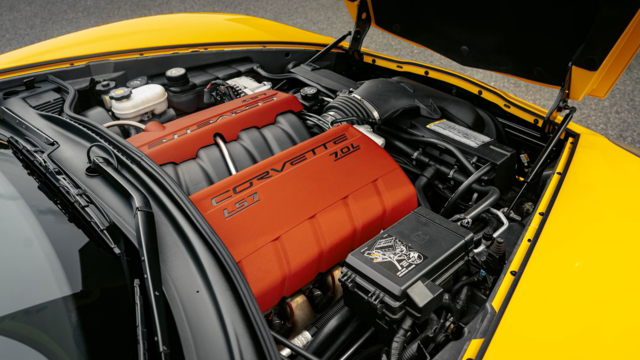
10 Reasons the LS7 Is GM's Most Extreme Naturally Aspirated V8 Engine Ever
Verdad Gallardo Re: Can't get my USB to Serial to work.
 I get asked about this very frequently, and my response is to ALWAYS buy one of these USB to RS232 adapters LOCALLY. No matter what brand you use, it's not a slam dunk. I personally have the Belkin F5U103 and it works just fine.
The adapters are machine, operating system, BIOS, adapter hardware, and manufacturer's drivers dependent. That's a LOT of hands in the pie, and there's no guarantees that what worked on my computer will work on yours.
There are different brands available, so what I always recommend is that you get one locally, try it, if it doesn't work, take it back and exchange it for a different brand. Yes, this is trial and error, but I have yet to hear from someone that this absolutely did not work for. <img border="0" title="" alt="[Wink]" src="gr_images/icons/wink.gif" />
-Andrew
The adapters are machine, operating system, BIOS, adapter hardware, and manufacturer's drivers dependent. That's a LOT of hands in the pie, and there's no guarantees that what worked on my computer will work on yours.
There are different brands available, so what I always recommend is that you get one locally, try it, if it doesn't work, take it back and exchange it for a different brand. Yes, this is trial and error, but I have yet to hear from someone that this absolutely did not work for. <img border="0" title="" alt="[Wink]" src="gr_images/icons/wink.gif" />
-Andrew


