


Garage


Joined: Oct 2007
Posts: 174
Likes: 20

Garage:
1) Go to the Garage: https://ls1tech.com/forums/garage/
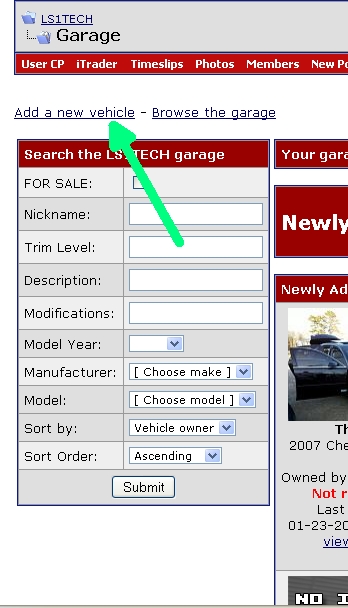
2) Click on the "Add a New Vehicle" link (because you don't have an existing one):
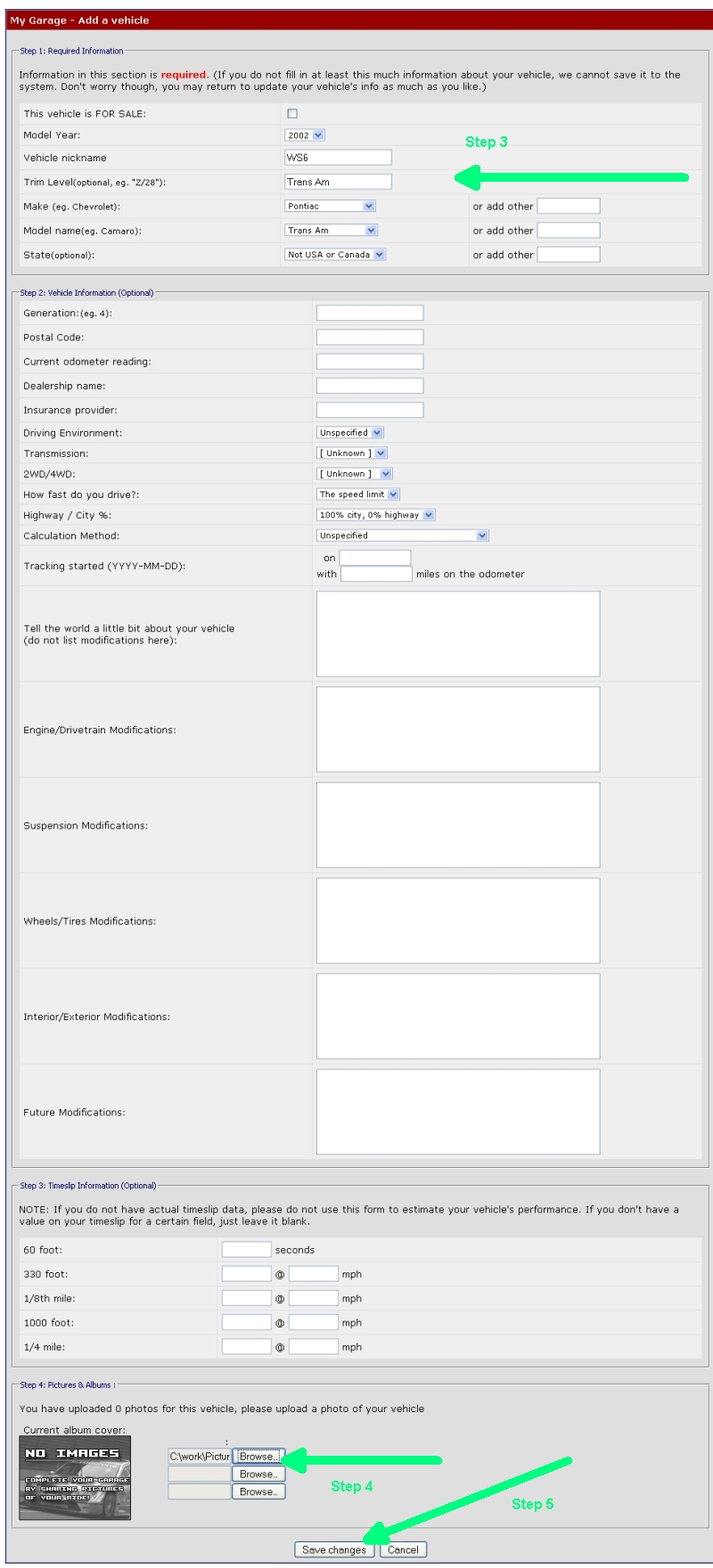
3) Enter in the appropriate (and required) information under Step 1 section
4) Under the "Step 4: Pictures & Albums", click on the Browse button so that you can upload some pictures of your vehicle from your hard drive. A new window will appear that contents of the contents of your computer and you will need to locate your pictures. Once you locate your picture, select it, and press OK. You can add up to 3 at a time.
5) Click on Save Changes button to process the submission
1) Go to the Garage: https://ls1tech.com/forums/garage/
2) Click on the "Add a New Vehicle" link (because you don't have an existing one):
3) Enter in the appropriate (and required) information under Step 1 section
4) Under the "Step 4: Pictures & Albums", click on the Browse button so that you can upload some pictures of your vehicle from your hard drive. A new window will appear that contents of the contents of your computer and you will need to locate your pictures. Once you locate your picture, select it, and press OK. You can add up to 3 at a time.
5) Click on Save Changes button to process the submission









