








Walkthrough on how to post pictures on the forums

Thread Starter
TECH Enthusiast
Joined: Feb 2006
Posts: 522
Likes: 1
 Walkthrough on how to post pictures on the forums
 1. Goto website www. photobucket .com and make an account (you only need to make an account once)
2. Now login on the top right once your account is made.
3. Now you will see 3 or more "BROWSE" buttons, click on each one and select the picture from your picture folders, you can upload up to 8 at once I beleive, I recommend making them a little smaller otherwise the pictures will take FOREVER to upload (even on a fast internet connection) and they will look HUGE on the forums.
4. Once you selected the pictures you wanted from browse, click on upload.
5. Once the pictures are "shown" and listed each individual picture will have 3 links below it
the 3 are
URL LINK
HTML TAG
IMG CODE
click on the "URL LINK" and it will copy it to your computers memory.
6. Now open a new window and come to the forums, make the post you want, click on the little "PICTURE" icon and it will ask you "what is the url" now right click and press "PASTE" and then click OK.
7. Continue repeating step 6 till you have added all the pictures to the forum you wanted.
8. All done

2. Now login on the top right once your account is made.
3. Now you will see 3 or more "BROWSE" buttons, click on each one and select the picture from your picture folders, you can upload up to 8 at once I beleive, I recommend making them a little smaller otherwise the pictures will take FOREVER to upload (even on a fast internet connection) and they will look HUGE on the forums.
4. Once you selected the pictures you wanted from browse, click on upload.
5. Once the pictures are "shown" and listed each individual picture will have 3 links below it
the 3 are
URL LINK
HTML TAG
IMG CODE
click on the "URL LINK" and it will copy it to your computers memory.
6. Now open a new window and come to the forums, make the post you want, click on the little "PICTURE" icon and it will ask you "what is the url" now right click and press "PASTE" and then click OK.
7. Continue repeating step 6 till you have added all the pictures to the forum you wanted.
8. All done
Originally Posted by eddielb
1. Goto website www. photobucket .com and make an account (you only need to make an account once)
2. Now login on the top right once your account is made.
3. Now you will see 3 or more "BROWSE" buttons, click on each one and select the picture from your picture folders, you can upload up to 8 at once I beleive, I recommend making them a little smaller otherwise the pictures will take FOREVER to upload (even on a fast internet connection) and they will look HUGE on the forums.
4. Once you selected the pictures you wanted from browse, click on upload.
5. Once the pictures are "shown" and listed each individual picture will have 3 links below it
the 3 are
URL LINK
HTML TAG
IMG CODE
click on the "URL LINK" and it will copy it to your computers memory.
6. Now open a new window and come to the forums, make the post you want, click on the little "PICTURE" icon and it will ask you "what is the url" now right click and press "PASTE" and then click OK.
7. Continue repeating step 6 till you have added all the pictures to the forum you wanted.
8. All done
2. Now login on the top right once your account is made.
3. Now you will see 3 or more "BROWSE" buttons, click on each one and select the picture from your picture folders, you can upload up to 8 at once I beleive, I recommend making them a little smaller otherwise the pictures will take FOREVER to upload (even on a fast internet connection) and they will look HUGE on the forums.
4. Once you selected the pictures you wanted from browse, click on upload.
5. Once the pictures are "shown" and listed each individual picture will have 3 links below it
the 3 are
URL LINK
HTML TAG
IMG CODE
click on the "URL LINK" and it will copy it to your computers memory.
6. Now open a new window and come to the forums, make the post you want, click on the little "PICTURE" icon and it will ask you "what is the url" now right click and press "PASTE" and then click OK.
7. Continue repeating step 6 till you have added all the pictures to the forum you wanted.
8. All done


Trending Topics
LS1 Tech Stories
The Best V8 Stories One Small Block at Time

Gas Monkey Built a 6-Wheel Ferrari Testarossa With a Corvette LT4 Engine
Verdad Gallardo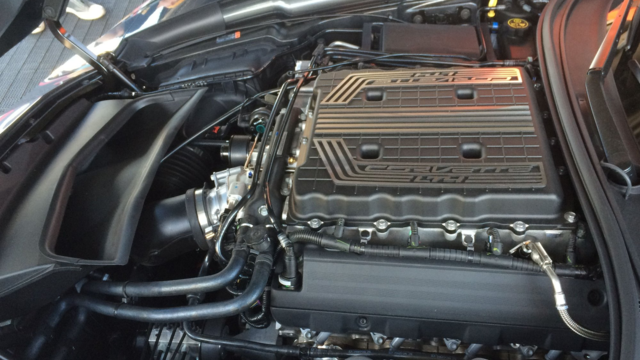
7 Most Reliable High-Performance Engines GM Has Ever Built
Verdad Gallardo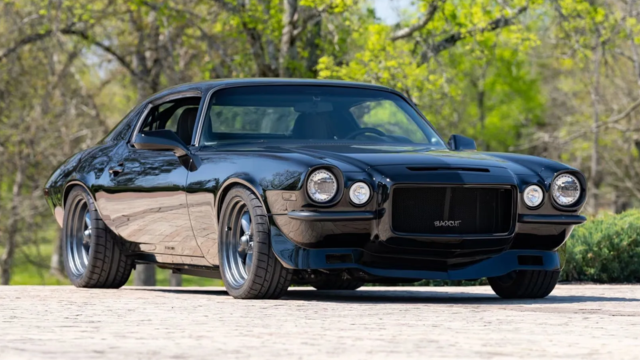
Amazing '71 Camaro Restomod Is Modern Muscle Car Under the Skin
Verdad Gallardo
6 Common C5 Corvette Failures and What's Involved In Repairing Them
Pouria Savadkouei
Retro Modern Bandit Pontiac Trans AM Comes With Burt Reynolds' Autograph
Verdad Gallardo
Top 10 Greatest Cadillac V Series Performance Models Ever, Ranked
Pouria Savadkouei
Top 10 Most Powerful Chevy Trucks Ever Made!

Hennessey's New Supercharged Silverado ZR2 Has 700 HP
Verdad Gallardo
Coachbuilt N2A Anteros Is an LS2-Powered C6 Corvette In Italian Clothes
Verdad Gallardo


I know this is an old post but im trying to post by the directions shown.But why am i gettin a white box with a red x throught it.I opened photobucket account and did everything that was posted.I hate computers
I’ve had that happen before, you probably copied a photo link while you were logged-in to your acct.
Try this, go to your acct but don’t log in, (log-out if you’re logged in automatically) copy a photo link, then post it and see if that works.
Try this, go to your acct but don’t log in, (log-out if you’re logged in automatically) copy a photo link, then post it and see if that works.



I've never had the problem and I'm constantly logged in, so that's not the cause. Imagine if it was, you'd have to copy, log out, paste the IMG, log back in, copy the next picture, log out...
Thread Starter
TECH Enthusiast
Joined: Feb 2006
Posts: 522
Likes: 1
thats rediculous open the image (wether your logged in or not) right click it select "copy image location" come back over here make a post/reply and click on the little mountain/moon image (yellow) then paste what you copied from the other website, post it here voila!