When you click on links to various merchants on this site and make a purchase, this can result in this site earning a commission. Affiliate programs and affiliations include, but are not limited to, the eBay Partner Network.
My car no longer has traction control. I'm setting it up with a Hitmaster Clutch Tamer and I want to use the factory TCS switch to arm it. I have the schematic, and it seems self explanatory - except I'm not sure where the switch gets 12V from. I'm using Holley EFI, so my PCM is just piggybacked, FYI. None of the TCS system is intact, so I don't think I can use any of the wiring anyway. I was just going to cut the pigtail and splice in what I need. I'm not a wiring master, so if anyone could steer me in the right direction as to what to do here, I'd appreciate it. My goals are:
1) Power to the switch
2) When switch is armed, it lights up the TCS light on the dash (and on the switch itself.
3) Integrate the output signal into my CAN I/O box so it turns on and off in the Holley software. The Holley will be controlling the Hitmaster through a relay.
It looks to me that if I supply ignition switched 12V to pin A, and ground out pin F, that should give me power. I'm confused about pins B and C, though. C seems straightforward, it illuminates the instrument panel bulb. I think that's the one that says TCS OFF. But pin B says it's also a lamp output, in the event of a failure. Do B and C both illuminate the TCS OFF lamp? As for pin E, I am assuming that is just an output signal in that you push once, it sends 12V out, push again and it no longer sends voltage out. Am I correct there?
My car no longer has traction control. I'm setting it up with a Hitmaster Clutch Tamer and I want to use the factory TCS switch to arm it. I have the schematic, and it seems self explanatory - except I'm not sure where the switch gets 12V from. I'm using Holley EFI, so my PCM is just piggybacked, FYI. None of the TCS system is intact, so I don't think I can use any of the wiring anyway. I was just going to cut the pigtail and splice in what I need. I'm not a wiring master, so if anyone could steer me in the right direction as to what to do here, I'd appreciate it. My goals are:
1) Power to the switch
2) When switch is armed, it lights up the TCS light on the dash (and on the switch itself.
3) Integrate the output signal into my CAN I/O box so it turns on and off in the Holley software. The Holley will be controlling the Hitmaster through a relay.
It looks to me that if I supply ignition switched 12V to pin A, and ground out pin F, that should give me power. I'm confused about pins B and C, though. C seems straightforward, it illuminates the instrument panel bulb. I think that's the one that says TCS OFF. But pin B says it's also a lamp output, in the event of a failure. Do B and C both illuminate the TCS OFF lamp? As for pin E, I am assuming that is just an output signal in that you push once, it sends 12V out, push again and it no longer sends voltage out. Am I correct there?
man ive been thinking about the same thing, i upgraded the ecu on my 98 trans am and would like to use the traction control as a performance button of some kind.
From: Jacksonville, FL (originally from Toronto Canada)
That pinout listing you posted does not match the factory service (wiring) manual. According to it, the switch has six pins but only four are used...
A: purple/white - indicator lamp ground controlled by the electronic brake control module (EBCM)
B: pink - 12V power for the indicator light - hot only in the ignition run position
C: unused
D: unused
E: brown/white - 12V input signal from EBCM
F: black/white - ground
The intermittent switch is between E and F and you can use either one for power and the other for ground (or one for power and the other for whatever you want to control)
EDIT: Actually, now that I think about it, pin C could be in use for the switch illumination (part of the dash lights circuit) but not listed in the traction control section of the manual. In that case you would want to connect it to your dash lighting someplace convenient like behind the radio. You could just connect it to 12V positive but then it would be brightly lit all the time.
Last edited by WhiteBird00; Jan 16, 2026 at 04:17 PM.
From: Jacksonville, FL (originally from Toronto Canada)
If the purpose is to use the factory switch for a different purpose then how does it matter how the factory wiring is configured? Only the switch configuration would be relevant.
However, I checked the wiring schematic for 1998 and 2000 and they are the same, so I assume it is the same for all 98-02 f-bodies.
@WhiteBird00 So, if I follow what you're saying, I just need to connect 12V to pin E and pushing the switch once will send 12V out of pin F, correct? And if I keep the wire connected that goes to the "TCS OFF" lamp in the dash, it should illuminate? Or is that lamp controlled by the EBCM?
From: Jacksonville, FL (originally from Toronto Canada)
Yes, the TCS switch is a momentary switch which connects pin E with pin F when/while pressed. Depending on your circuit, you can provide power to one (say, pin E) and when the switch is pressed it will send that power out through the other (in this case pin F). You can reverse them - it doesn't matter which one gets power or provides output - the switch merely connects the two together. Or, you could use it for a ground controlled circuit like when using a relay - connect one pin to the relay and the other to ground so that the relay trips when the switch is pressed.
Since it's only a momentary switch, you can't use it for turning something on and off like a normal switch without some more sophisticated wiring... by itself, it will only turn something on while you are pressing it - when you let go, it will turn off again. There are ways around that such as using latching relays or control modules, but by itself the switch can't make something turn on and stay on.
The indicator light in the instrument cluster is controlled by the EBCM and not directly by the switch. The switch sends a signal to the EBCM to turn TCS on or off and the EBCM then turns the dash light on or off, but the switch does not control the light directly. Similarly, the on/off indicator light in the switch itself is also controlled by the EBCM, but since the power and ground are both available at the switch, you could wire that indicator light to go on or off with whatever circuit you've repurposed the switch to control. As a simple example, if you connected something like underbody lights to the switch using a latching relay (so that they go on with one press and off when pressed again), you could wire the switch's indicator light to go on when the lights are on and off when they're off (not that I'm a big fan of underbody lights - it's just an example).
Perhaps if you were to describe what you want to control with the switch, I could give you more detailed connection information.
Well, basically I want to use it as a trigger to arm my Hitmaster Clutch Tamer through my Holley. In the simplest terms, the Holley is going to control a relay that is controlling a solenoid. I want to program the Holley so that it activates the Clutch Tamer system when I press the button (and turns the light on the switch, so I know it's engaged). I should clarify, the switch is only telling the Holley that it can run through it's programmed logic - The switch won't directly be turning on the solenoid. I have a clutch pedal sensor and I'll likely be using that combined with wheel speed to program parameters to control the solenoid function.
From: Jacksonville, FL (originally from Toronto Canada)
As long s the Holley only needs a momentary signal as a trigger, the switch will suit the purpose fine. You can wire the indicator lamp of the switch in place of the LED lamp that comes with the Hitmaster by just connecting the two wires from the transition valve to the A and B terminals of the switch. You need to connect B (pink) to the positive side (the wire between the launch timer and the transition valve) and A (purple/white) to the negative side (or to any good ground). This is because the indicator light is an LED so it is polarity sensitive.
7 Most Reliable High-Performance Engines GM Has Ever Built
Slideshow:These GM engines didn't just make huge power, they survived abuse, boost, track days, and six-digit mileage with a reputation for refusing to quit.
6 Common C5 Corvette Failures and What's Involved In Repairing Them
Slideshow: From wobbling harmonic balancers to failed EBCMs, these are the issues that define long-term C5 ownership and what repairs typically involve.
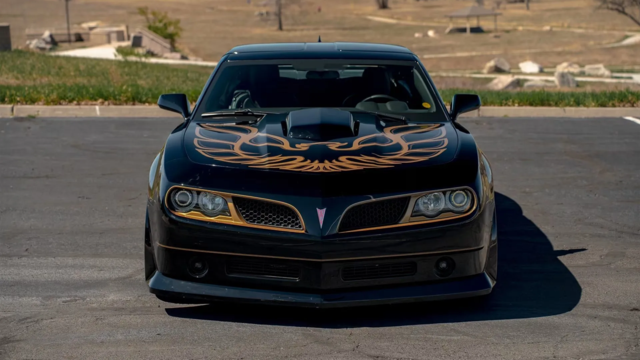
Retro Modern Bandit Pontiac Trans AM Comes With Burt Reynolds' Autograph
Slideshow: A modern Camaro transformed into a retro icon, this limited-run "Bandit" build blends nostalgia with brute force in a way few revivals manage.
Top 10 Greatest Cadillac V Series Performance Models Ever, Ranked
Slideshow: Cadillac didn't just crash the high-performance luxury vehicle party, it showed up loud, supercharged, and occasionally a little unhinged...
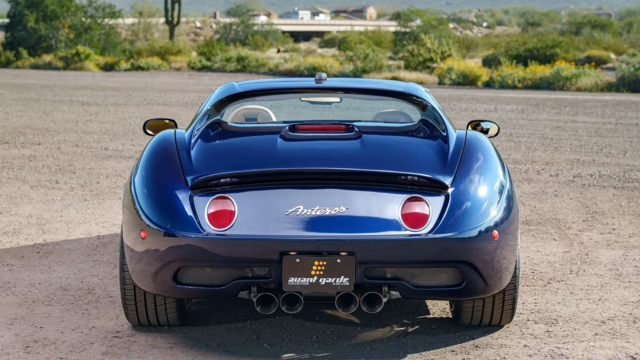
Coachbuilt N2A Anteros Is an LS2-Powered C6 Corvette In Italian Clothes
Slideshow: A one-off sports car that looks like a vintage Italian exotic-but hides a C6 Corvette underneath-just sold for the price of a new mid-engine Corvette.


 Repurposing the TCS switch