


Pics...Camaro on Prostars
 02-16-2006, 01:27 PM
#1
Staging Lane
Thread Starter
iTrader: (3)

Join Date: Jan 2004
Posts: 60
Likes: 0
Received 0 Likes
on
0 Posts
 Pics...Camaro on Prostars
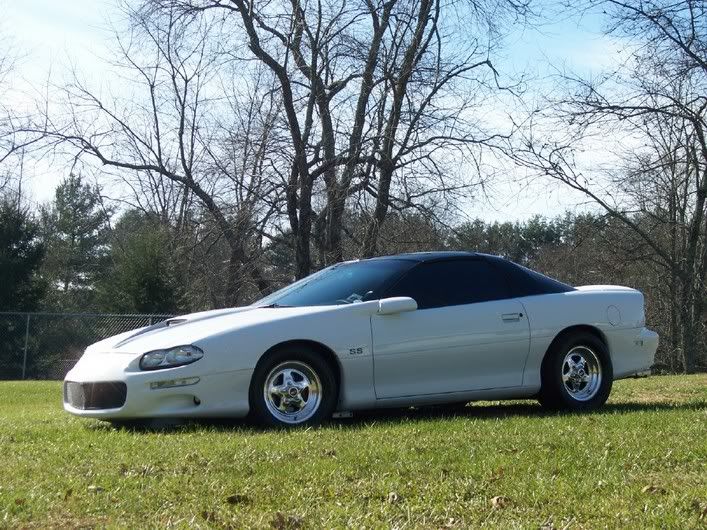
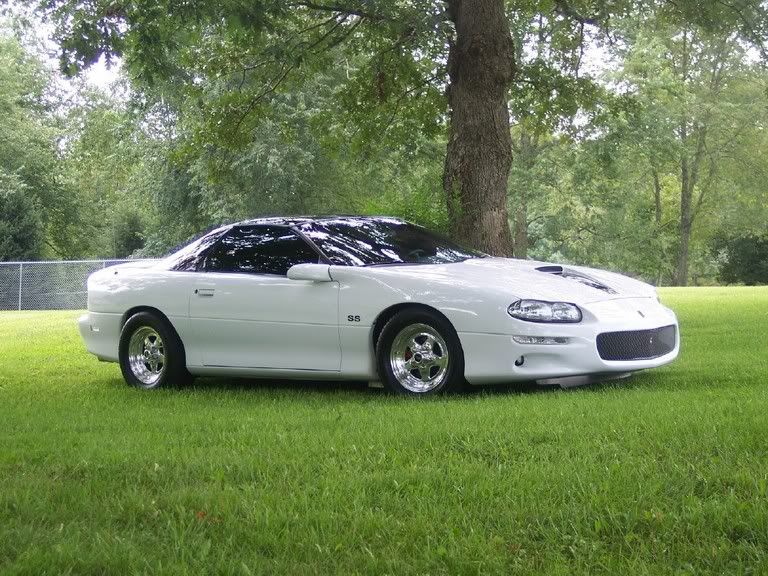
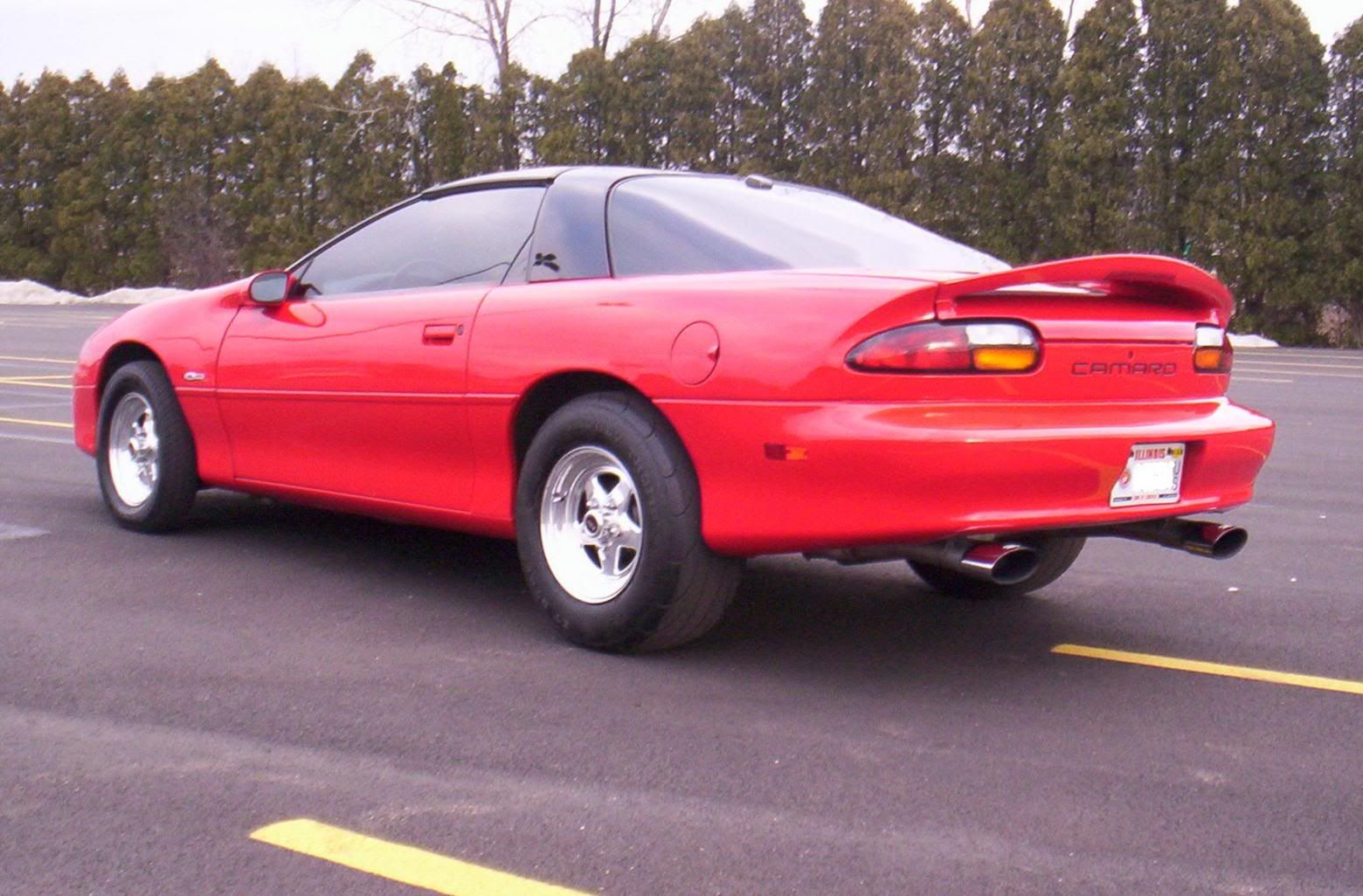
 Here she is wearing 15x3.5 Prostars in the front with a 165r15 metric radial and 15x8 Prostars in the back with Hoosier 26x9 slicks.
No spacer in the back with a lot of grinding. Spacer in the front with no grinding whatsoever. ARP studs all the way around.
No spacer in the back with a lot of grinding. Spacer in the front with no grinding whatsoever. ARP studs all the way around.

 02-16-2006, 02:32 PM
#3
TECH Apprentice

Join Date: Jun 2004
Location: Houston,TX
Posts: 355
Likes: 0
Received 0 Likes
on
0 Posts
Originally Posted by FastZ
Here she is wearing 15x3.5 Prostars in the front with a 165r15 metric radial and 15x8 Prostars in the back with Hoosier 26x9 slicks.
No spacer in the back with a lot of grinding. Spacer in the front with no grinding whatsoever. ARP studs all the way around.
No spacer in the back with a lot of grinding. Spacer in the front with no grinding whatsoever. ARP studs all the way around.


 02-16-2006, 04:42 PM
#7
11 Second Club
iTrader: (5)

Join Date: Feb 2005
Location: Destin, FL
Posts: 518
Likes: 0
Received 0 Likes
on
0 Posts

I drove around for a week on my ET streets and absolutely HATED going back to street tires. What's worse is that i'm rolling on F1 Supercars and they absolutely SUCK for traction  If I had a second car I would definitely keep the fats and skinnies on the car at all times lol
If I had a second car I would definitely keep the fats and skinnies on the car at all times lol Trending Topics
 02-16-2006, 05:40 PM
#9

prostars look soo good. i know their not as "high quality" as bogarts but they look the best!
Id like to get some, but id like my fronts to be civic sized at least i think its x5 or something.
Id like to get some, but id like my fronts to be civic sized at least i think its x5 or something.
 02-16-2006, 07:25 PM
#11
Staging Lane
Thread Starter
iTrader: (3)
Join Date: Jan 2004
Posts: 60
Likes: 0
Received 0 Likes
on
0 Posts
Nice pics guys! I've seen a lot of guys using both sizes. The 15x8's generally require less modification than the 15x10's. That may be why some people use them...i.e. me. However, the 15x10's let you run a bigger tire. I am hoping to get my suspension set up so that I don't need a bigger tire!
Bogarts are sweet but high $$$. However, they don't require modification.
Bogarts are sweet but high $$$. However, they don't require modification.


 02-17-2006, 09:53 AM
#18
10 Second Club
iTrader: (3)

Join Date: Nov 2004
Location: Chicago SW Burbs
Posts: 1,762
Likes: 0
Received 0 Likes
on
0 Posts
Originally Posted by Camaro396
i have 15x10 prostars with 26x10-15 ET DRAGS and i didnt have to grind anything to make them fit.
here are some pics of 15x10 in the rears with 28" rear tire

 02-17-2006, 11:06 AM
#19

Originally Posted by DansRedz28
More more more! hell any drag wheel 
www.sjmmanufacturing.com/customer_cam.html
There are about 5 new shots just added yesterday...on page 3.
02-17-2006, 11:14 AM
#20
8 Second Club
iTrader: (9)
Join Date: Oct 2005
Location: Ellicott City,MD
Posts: 1,085
Likes: 0
Received 0 Likes
on
0 Posts
steve do you think eventually the website could get away from using the mouse over the pic method to view it? Every time I want to look at a car on the far right it cuts half of it off.