







Raptor shift light not working :(
 Raptor shift light not working :(
 Any Idea what to check. It worked last summer. First time I took the car to 6K this year, no light. Set the light to 5K, still no light up to 6K.  Do they have a fuse in them, or chould I just check all the connections?
Do they have a fuse in them, or chould I just check all the connections?
Originally Posted by davered00ss
Any Idea what to check. It worked last summer. First time I took the car to 6K this year, no light. Set the light to 5K, still no light up to 6K. Do they have a fuse in them, or chould I just check all the connections?
Do they have a fuse in them, or chould I just check all the connections? could you hook one of these up with no drilling? I always wondered if I could get like a suction thing you use on windows, somehow hook it up to the light and then to the far left of the window stick it to.
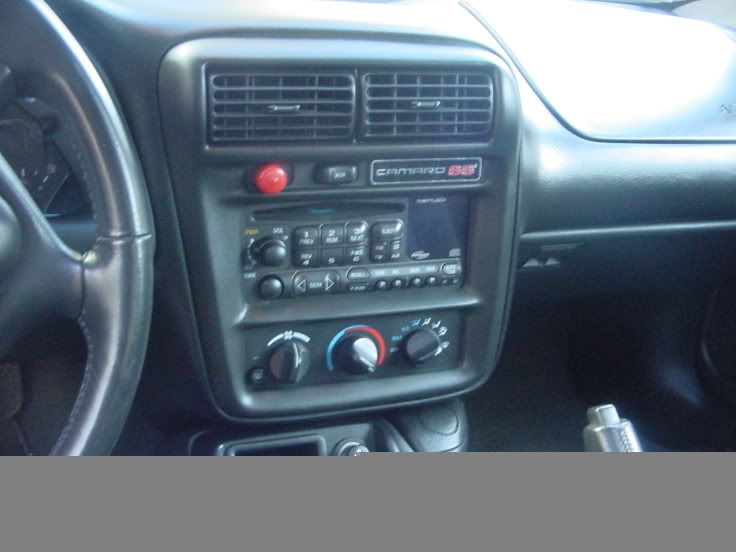
you could probably do that. I did what a lot of other people did and mounted it in the air vent above the stereo. No one ever notices it until I point it out...
As far as the shift light not working, Id check the connections like Lowell said...
As far as the shift light not working, Id check the connections like Lowell said...
Originally Posted by crazy3rdgen
could you hook one of these up with no drilling? I always wondered if I could get like a suction thing you use on windows, somehow hook it up to the light and then to the far left of the window stick it to.
Trending Topics
LS1 Tech Stories
The Best V8 Stories One Small Block at Time

Topdon ONE vs. Artidiag 800 BT2: Which is the Diagnostic Tablet For You?
Pouria Savadkouei
Gas Monkey Built a 6-Wheel Ferrari Testarossa With a Corvette LT4 Engine
Verdad Gallardo
7 Most Reliable High-Performance Engines GM Has Ever Built
Verdad Gallardo
Amazing '71 Camaro Restomod Is Modern Muscle Car Under the Skin
Verdad Gallardo
6 Common C5 Corvette Failures and What's Involved In Repairing Them
Pouria Savadkouei
Retro Modern Bandit Pontiac Trans AM Comes With Burt Reynolds' Autograph
Verdad Gallardo
Top 10 Greatest Cadillac V Series Performance Models Ever, Ranked
Pouria Savadkouei
Top 10 Most Powerful Chevy Trucks Ever Made!

Hennessey's New Supercharged Silverado ZR2 Has 700 HP
Verdad Gallardo
They are supposed to light up and go through a sequence when you turn the car on. If it isn't doing that you may have the dip-switches set incorrectly, a bad ground, or your connection to the tach wire might be loose.
I think it was not going through the start up is because of where I ran the power from. It did always work when I reached the RPM's. Now does not work at all. I'll check the wiring tomorrow.
I'll check the wiring tomorrow. 
sounds like it lost its power dave. make sure the connection at the pcm is still good and connect the power to a ign switched 12v source. it has to do the slef check espically if you change it so you can confirm where its set. make sure the ground is still connected too. did you even do any interior stuff this winter?


Originally Posted by badpewter-z
sounds like it lost its power dave. make sure the connection at the pcm is still good and connect the power to a ign switched 12v source. it has to do the slef check espically if you change it so you can confirm where its set. make sure the ground is still connected too. did you even do any interior stuff this winter?

Dave
Originally Posted by davered00ss
Keith, I checked the Pink line I drew power from and there is no power there. I did not use the #19 pin like I should have. I will just cut the power line and tap off the one I should have the first time.
Dave
Dave


I tapped into the pin #4 when I initially did the install. The wire is pink. The raptor performance web site says #4 is Air Silinoid Relay Control, but says the wire is PPL. This would make sence as to why it does not work, because I deleted the Air system.
I'm thinking I should check for a fuse just in case.
I'm thinking I should check for a fuse just in case.

