







MAF code with Speed Density tune???
 MAF code with Speed Density tune???
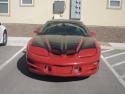
 I just bought a car that had some mods done to it. It's been driving around fine. I took it to the track today and the first time I went WOT the car pulled for a couple seconds then just kinda nosed over like it was running out of fuel. SES light came on, I checked when I got home and it had 2 MAF codes and 1 TPS code. I cleared them, but one of the MAF codes came right back on scan tool (but no SES light)
I called the previous owner and he said the car had a speed density tune and I shouldn't get any MAF codes, that the MAF should've been unhooked. Well, the MAF is plugged in.
What should I do? Disconnect battery, unhook MAF, then connect battery?
Or, just take it to a Tuner? Never had one with a SD tune, so I'm kinda lost.
TIA
I called the previous owner and he said the car had a speed density tune and I shouldn't get any MAF codes, that the MAF should've been unhooked. Well, the MAF is plugged in.
What should I do? Disconnect battery, unhook MAF, then connect battery?
Or, just take it to a Tuner? Never had one with a SD tune, so I'm kinda lost.
TIA

TECH Senior Member


Joined: Apr 2002
Posts: 6,080
Likes: 17
From: So.Cal.
To failover to SD the PCM needs to see the MAF code (this is what tells it to ignore the MAF if it is present) (removal of the MAF would trigger the MAF code)
The TPS code is the problem, or something else (like ignition or lack of fuel).
The TPS code is the problem, or something else (like ignition or lack of fuel).
tps code i think is what needs to be looked into. is the bump stop mod done to the throttle body? if so it may have been done incorrectly. if the tune is speed density, then there is no reason to have the maf plugged up or even on the car for that matter.
UPDATE:
I Disconnected the battery, unhooked the MAF, Connected the battery. Let it idle for a while and it seemed idle better and rev up better. But alas, I drove it down the road and at WOT it pulls pretty good thru first and second, but when it goes in 3rd it still noses over, but no trouble codes now.
Guess I'll take it to a tuner.
I Disconnected the battery, unhooked the MAF, Connected the battery. Let it idle for a while and it seemed idle better and rev up better. But alas, I drove it down the road and at WOT it pulls pretty good thru first and second, but when it goes in 3rd it still noses over, but no trouble codes now.
Guess I'll take it to a tuner.
was wondering about this too. how does the tuner turn the SES light off when your tuned for SES light? im not sure if the tuner knows how and i really dont know how. the tuner is a all around tuner, not a LS specific tuner. So if io can walk in there and sound like i know what im talking about that would be awsome lol
all seriousness though, i just want the SES light off. ive been readin that it still has the codes in the PCM even when the light has been turned off.
all seriousness though, i just want the SES light off. ive been readin that it still has the codes in the PCM even when the light has been turned off.
found this. looks like its true unless someone knows better.
Step by Step for SD tuning Wideband Method:
1: Unplug MAF sensor
2: Disable the SES lights for MAF codes P0101, P0102, P0103 (No check engine light.) Do not completely disable the codes or the PCM will not fall into SD mode. Only turn off the SES light, DO NOT DISABLE THE CODES THEMSELVES!
3: Change all points to 1.13 in the Open Loop F/A vs ECT vs MAP table (commands AFR of 13.0)
4: Change all points in the Closed Loop Enable Coolant Temp vs IAT table to 250* (Disables closed loop)
5: Copy High Octane table to the Low Octane Table (computer reverts to low octane table when MAF is unplugged, this assure’s optimal timing)
6: Change all points in the Power Enrich Fuel Multiplier vs RPM table to 1.0 (disables PE mode)
7: Use your wideband and HPT histogram to verify AFR of 13.0
8: Make adjustments to the VE table accordingly to dial in a 13.0 AFR using the desired formula - current afr/13.0 = VE multiplier
example: cell @ 1600 rpm Map 50 is showing the air/fuel to be at 11.7 in the histogram. 11.7/13.0=0.9 Lets say that your VE table has a value of 48 listed at 1600 rpm, Map 50. Using the above formula you would multiply that value times (.9). 48*.9=43.2. 43.2 would be your new VE value. Continue using this formula until all data has been plotted.
9: Hand smooth VE as described by Magnus (a smooth VE results in crisper throttle response), upload new .bin and repeat steps 7 and 8 until all cells in the histogram are 12.8 - 13.2.
10: Change all points in Open Loop F/A vs ECT vs MAP table back to stock (re-enable stoich commanded AFR)
11: Change all points in the Closed Loop Enable Coolant Temp vs IAT table back to stock (re-enables closed loop operation and fuel trim leaning)
12: Change all points in the Power Enrich Fuel Multiplier vs. RPM table back to stock (re-enables PE mode)
13: Use wideband and PE table to dial in desired WOT AFR. (Optimum HP at WOT)
Step by Step for SD tuning Wideband Method:
1: Unplug MAF sensor
2: Disable the SES lights for MAF codes P0101, P0102, P0103 (No check engine light.) Do not completely disable the codes or the PCM will not fall into SD mode. Only turn off the SES light, DO NOT DISABLE THE CODES THEMSELVES!
3: Change all points to 1.13 in the Open Loop F/A vs ECT vs MAP table (commands AFR of 13.0)
4: Change all points in the Closed Loop Enable Coolant Temp vs IAT table to 250* (Disables closed loop)
5: Copy High Octane table to the Low Octane Table (computer reverts to low octane table when MAF is unplugged, this assure’s optimal timing)
6: Change all points in the Power Enrich Fuel Multiplier vs RPM table to 1.0 (disables PE mode)
7: Use your wideband and HPT histogram to verify AFR of 13.0
8: Make adjustments to the VE table accordingly to dial in a 13.0 AFR using the desired formula - current afr/13.0 = VE multiplier
example: cell @ 1600 rpm Map 50 is showing the air/fuel to be at 11.7 in the histogram. 11.7/13.0=0.9 Lets say that your VE table has a value of 48 listed at 1600 rpm, Map 50. Using the above formula you would multiply that value times (.9). 48*.9=43.2. 43.2 would be your new VE value. Continue using this formula until all data has been plotted.
9: Hand smooth VE as described by Magnus (a smooth VE results in crisper throttle response), upload new .bin and repeat steps 7 and 8 until all cells in the histogram are 12.8 - 13.2.
10: Change all points in Open Loop F/A vs ECT vs MAP table back to stock (re-enable stoich commanded AFR)
11: Change all points in the Closed Loop Enable Coolant Temp vs IAT table back to stock (re-enables closed loop operation and fuel trim leaning)
12: Change all points in the Power Enrich Fuel Multiplier vs. RPM table back to stock (re-enables PE mode)
13: Use wideband and PE table to dial in desired WOT AFR. (Optimum HP at WOT)
Trending Topics

LS1Tech Sponsor
Joined: Mar 2013
Posts: 288
Likes: 1
From: Mooresville, NC
You should have P0101, 102, or 103 in your PCM if the car is tuned in speed density. These codes will not turn on the check engine light or make the car run poorly in any way.
__________________

See what's in our shop on Facebook! Customer Build Blogs!
www.pcmofnc.com
Performance Installs - Dyno Tuning - Custom Camshafts & Valvetrain - Remote HPtuners Tuning - Mail Order Tuning & Sales
704-307-4227
See what's in our shop on Facebook! Customer Build Blogs!
www.pcmofnc.com
Performance Installs - Dyno Tuning - Custom Camshafts & Valvetrain - Remote HPtuners Tuning - Mail Order Tuning & Sales
704-307-4227
LS1 Tech Stories
The Best V8 Stories One Small Block at Time

Topdon ONE vs. Artidiag 800 BT2: Which is the Diagnostic Tablet For You?
Pouria Savadkouei
Gas Monkey Built a 6-Wheel Ferrari Testarossa With a Corvette LT4 Engine
Verdad Gallardo
7 Most Reliable High-Performance Engines GM Has Ever Built
Verdad Gallardo
Amazing '71 Camaro Restomod Is Modern Muscle Car Under the Skin
Verdad Gallardo
6 Common C5 Corvette Failures and What's Involved In Repairing Them
Pouria Savadkouei
Retro Modern Bandit Pontiac Trans AM Comes With Burt Reynolds' Autograph
Verdad Gallardo
Top 10 Greatest Cadillac V Series Performance Models Ever, Ranked
Pouria Savadkouei
Top 10 Most Powerful Chevy Trucks Ever Made!

Hennessey's New Supercharged Silverado ZR2 Has 700 HP
Verdad Gallardo
LS1Tech Sponsor
Joined: Mar 2013
Posts: 288
Likes: 1
From: Mooresville, NC
That is correct.
__________________
See what's in our shop on Facebook! Customer Build Blogs!
www.pcmofnc.com
Performance Installs - Dyno Tuning - Custom Camshafts & Valvetrain - Remote HPtuners Tuning - Mail Order Tuning & Sales
704-307-4227
See what's in our shop on Facebook! Customer Build Blogs!
www.pcmofnc.com
Performance Installs - Dyno Tuning - Custom Camshafts & Valvetrain - Remote HPtuners Tuning - Mail Order Tuning & Sales
704-307-4227

