When you click on links to various merchants on this site and make a purchase, this can result in this site earning a commission. Affiliate programs and affiliations include, but are not limited to, the eBay Partner Network.
I just checked the adapter and it is installed and working. I used a program called Accessport to check send/receive and according to the test, it's working correctly. Was able to open/close the port with the program and by jumping pins 2-3 was able to auto send and receive text with this test and it passed. And I am getting voltage to pin 2 (.47volts) I'm using this for the gauge blue/ground.
One thing, I have the black wire from the gauge grounded and I'm just using another ground for the adapter? I'd assume this will still work correct? Or does the black wire from the gauge go directly to the adapter?
If you got a readout from the Hyper Terminal substitute application on your laptop, then your connections should be OK.
BTW- you haven't said yet if your AEM gauge is displaying AFR correctly when you start the car. If it is then the readout in HP should be nearly identical to the AEM gauge once you get HP up and running.
I don't recall now, since I have changed my wide band back to EFI live, but as I recall (7-8 months ago) I had to complete the 'transform' step in HP in order to get the channel to display the AFR after connecting the scanner and starting my car (98 Z28). I have an AEM -30-4100.
Recall it was something like this in HP setup.
"On the rear of the 4110 is a small rotating switch....what mode are you using the wb in...Lambda or AFR? For AFR I believe the switch needs to be in P0 and for Lambda needs to be P1. Check out the manual for these correct settings."
" .... in the Scanner, select the MPVI A/D Input 1 channel, close the channel select window, click the MPVI a/d Input 1 channel and select Transform. Transform Selector window will open. Select Oxygen Sensors and the either Air-Fuel Ration or Equivalence Ratio depending on which mode you selected above. Find the AEM 30-4110 label and double click.
If you got a readout from the Hyper Terminal substitute application on your laptop, then your connections should be OK.
BTW- you haven't said yet if your AEM gauge is displaying AFR correctly when you start the car. If it is then the readout in HP should be nearly identical to the AEM gauge once you get HP up and running.
I don't recall now, since I have changed my wide band back to EFI live, but as I recall (7-8 months ago) I had to complete the 'transform' step in HP in order to get the channel to display the AFR after connecting the scanner and starting my car (98 Z28). I have an AEM -30-4100.
Recall it was something like this in HP setup.
"On the rear of the 4110 is a small rotating switch....what mode are you using the wb in...Lambda or AFR? For AFR I believe the switch needs to be in P0 and for Lambda needs to be P1. Check out the manual for these correct settings."
" .... in the Scanner, select the MPVI A/D Input 1 channel, close the channel select window, click the MPVI a/d Input 1 channel and select Transform. Transform Selector window will open. Select Oxygen Sensors and the either Air-Fuel Ration or Equivalence Ratio depending on which mode you selected above. Find the AEM 30-4110 label and double click.
Should be good to go...
hth
Yes, it's reading fine on the gauge, just disappears on hp tuners. I'm using the AEM X-band 30-0300 and there's no switch on the back. I did see a transform thing but don't have a clue on what to do with it. lol Must be something I'm not doing right in hp to set it up. This is so frustrating.
Gonna go out there now and try to look for what you said in the setup.
Last edited by Dano 00TA; Mar 4, 2019 at 06:59 PM.
I did find the transform selector and see AEM 30-(03X0,2340,5130) so I selected that but it also has this "Function (Input/ 1) + 0 = output" where I can change the 1 and 0? Would these need to be changed?
Sorry - my mistake. Missed or forgot that you have the AEM 30-0300XXX series.
The instructions state that it is not backward compatible with any LS PCM's pre-07. However, in another section their instructions state says that the serial connection is backward compatible with the 30-4000 and 30-4100 models. Most everyone on this forum has had success connecting the MPVI2 model using a serial to USB cable with the 4100.
The HP Tuning school videos also state that 30-300 is not backward compatible. ?????
So you might contact AEM. One would think by now that if there are success stories out there, that AEM is aware of them since the LS crowd is still buying their products. I don't think they market the 30-4100 models much anymore.
I see you posted on HP also but still answer.
Just for kicks you might try selecting 30-4100 from 'TransForm' and test again or try adding a channel using external input and see if 30-4100 or 30-0300 is an option. With analog the PLX wideband is the same as AEM
Lastly - INSTALL the FTDI drivers that came with your cable. Perhaps the chip software drivers Windows installed isn't converting the data correctly. What do you have to lose?
Sorry, can't help anymore as my only experience is with the 30-4100 series.
Guess, I'll keep messing with it and see if I can come up with something. I'll try your suggestions though. Like you said, what do I have to lose. Thanks!
Last edited by Dano 00TA; Mar 5, 2019 at 11:52 AM.
You probably actually need pins 2,3,5...... 2&3 are the transmit receive pair for serial some USB adapters will not work in receive only ,, they need the transmit pin so they can handshake with the device.
You also may need to explicitly tell the software your using Xon-xoff or NO flow control to let it stream the data, if its set to hardware flow control (Which you shouldn't need.) you'd need more wires and a more complex wiring scheme.
You probably actually need pins 2,3,5...... 2&3 are the transmit receive pair for serial some USB adapters will not work in receive only ,, they need the transmit pin so they can handshake with the device.
You also may need to explicitly tell the software your using Xon-xoff or NO flow control to let it stream the data, if its set to hardware flow control (Which you shouldn't need.) you'd need more wires and a more complex wiring scheme.
It's in the diagram/link, basically the 2 serial ports connect together, as pictured, depending on the whim of AEM.
You have to identify the pins on the AEM, then the pins on the cable connector, its either a straight through or a null modem connection.
Pretend the USB to serial adapter is inside your laptop, just relate the 9pin on the adapter to the 9 pin on the AEM (If it has a 9pin,, I have a Innovate )
I don't use HP tuners either so I just know the hard wire part.. But I have hooked up literally 1000's of serial connections I started in IT when terminals were the big deal.
RS232 is just 2 pins for transmit and receive and a signal ref (Pin 5) If you look at the adapter above with the screw terminals the circuit board has the functions of each pin on it.. Since you pointed out that shorting the 2&3 pin caused activity, that's a good sign you need 3 wires for your specific application.
Looking at your AEM pic, I would bet there is a rs232 pinout for that connector in the manual, since AEM chose a non standard rs232 connector.
You need to find the "rec" and "xmt" pins and then pretend the AEM side looks like the link I posted..
Worst case try it with the 2&3 wires each way it will work one way or the other.. (see the two diagrams in the link thats the only difference.)
Serial voltages are low they won't hurt them selves unless AEm did something incredibly stupid..
I'd just go the analog EGR/AC route but now I'm not sure if that'd work with this gauge either now. Sent AEM a message about it on Facebook but haven't gotten a reply yet. If worse comes to worse then I just won't be logging any readings.
Oh well, out of luck going serial. AEM got back to me and said I'll have to go analog to get HP Tuners to recognize it. So now I gotta figure this out..... Would it be easier to use the EGR over AC since I have no EGR now and I'd assume if I use AC that I'd need to run a toggle switch to go back and forth between tuning and using my AC, correct?
Try this before giving up. If this doesn't work - you still have the option of getting the HP Pro Link data logger.
Try this - open your VCM scanner. Click on Help to make sure you have the latest update 4.2.1
Remove the existing channel by right clicking. Choose remove channel
Click Add a Channel
From the dialog box that displays choose 'External Inputs' (this is an external wideband)
Below that choose Serial Port
Below that choose AEM
When it opens choose AEM - AFR
Close the dialog - red x upper right corner of dialog box
Choose the Channel tab again
Your AEM channel will display
Choose channel and right click
From the drop down choose 'Transform'
A user defined dialog box will open
At the bottom click on the blue hyperlink (click to insert or change)
Towards the bottom of the list choose fx -transforms
Choose oxygen sensors
Choose air-fuel ratio
Choose fx - 30-(03x0, 2340,5130) > double-click (that desciption will display later)
Choose 'yes sounds good' and click
The user defined dialog box will display again -type in a description if the description did not populate - it's a descriptor to define your channel
You need to enter two values for the function - these values are specific to AEM
For input type .543
For output type 10.3
Click OK
Now test>
Turn on the key - if all is well a value should display as the gauge/controller checks free air
Start the car - if all is well the AFR value should display same as your AEM gauge/controller
Since I don't have anything to test with - this is as far as I can go since I have a 4100.
I went back thru previous posts - # 23 in particular.
"One thing, I have the black wire from the gauge grounded and I'm just using another ground for the adapter? I'd assume this will still work correct? Or does the black wire from the gauge go directly to the adapter?"
It appears you did not use a db9 cable and instead used the green plug end shown in post #21.
In your post #23 above, are you referring to the green plug as an adapter? The blue wire from plug receptable B on the AEM gauge back side should be inserted into pin # 2 receptacle on the green plug end and the black ground should be inserted in p# 5 receptacle on the green plug end. Your green plug end should plug directly into the male end of the serial to USB "adapter".
The serial to USB adapter drivers:
Did you install the drivers?
HP Tuners setup:
The HP Tuners tutorial for the MVPI2 and AEM 30-30X0 series used the 30-4100 instead of the 30-030x0 in the user defined setup. So you might try it instead.
The HP Tuners tutorial used .543 and 10.3 for input and output. However, the values that HP inserts when selecting 30-4100 are .5 and 10. Just speculating but I assume with all of their testing the Tuning school have found that .543 and 10.3 is more accurate. Your reading was .47 volts.
The statement below is from the AEM instructions.
"Serial (RS-232) Output BLUE WIRE = Serial Out
The serial datastream is suitable for output to third party devices such as data loggers, PCs, or reflashed ECUs. The X-Series UEGO serial datastream is designed to match AEM's legacy 30-4100/30-4110 UEGO Digital Gauge for backwards compatibility. The currently selected display mode (lambda or AFR) will dictate what is output via serial. The format is simply the value followed by a carriage return and line feed, e.g. "14.7\r\n"
Parameters for your virtual com 5 serial port:
rate 9600 bps
data bits 8
parity None
stop bits
FYI:
New ERA Performance states that their testing shows that you can data log using either the serial or analog output from the AEM 30-03X0 series with HP Tuners.
See attachment below from New Era Performance:
This link has a lot of useful information explaining how to data log with analog instead of serial. If AEM states that analog works with the 30-03x0 series you might try analog. If so, it looks like you have to tap into the wires from receptacle A on the back of the gauge. Note that the fx inputs for analog are different.
I went back thru previous posts - # 23 in particular.
"One thing, I have the black wire from the gauge grounded and I'm just using another ground for the adapter? I'd assume this will still work correct? Or does the black wire from the gauge go directly to the adapter?"
It appears you did not use a db9 cable and instead used the green plug end shown in post #21.
In your post #23 above, are you referring to the green plug as an adapter? The blue wire from plug receptable B on the AEM gauge back side should be inserted into pin # 2 receptacle on the green plug end and the black ground should be inserted in p# 5 receptacle on the green plug end. Your green plug end should plug directly into the male end of the serial to USB "adapter".
The serial to USB adapter drivers:
Did you install the drivers?
HP Tuners setup:
The HP Tuners tutorial for the MVPI2 and AEM 30-30X0 series used the 30-4100 instead of the 30-030x0 in the user defined setup. So you might try it instead.
The HP Tuners tutorial used .543 and 10.3 for input and output. However, the values that HP inserts when selecting 30-4100 are .5 and 10. Just speculating but I assume with all of their testing the Tuning school have found that .543 and 10.3 is more accurate. Your reading was .47 volts.
The statement below is from the AEM instructions.
"Serial (RS-232) Output BLUE WIRE = Serial Out
The serial datastream is suitable for output to third party devices such as data loggers, PCs, or reflashed ECUs. The X-Series UEGO serial datastream is designed to match AEM's legacy 30-4100/30-4110 UEGO Digital Gauge for backwards compatibility. The currently selected display mode (lambda or AFR) will dictate what is output via serial. The format is simply the value followed by a carriage return and line feed, e.g. "14.7\r\n"
Parameters for your virtual com 5 serial port:
rate 9600 bps
data bits 8
parity None
stop bits
FYI:
New ERA Performance states that their testing shows that you can data log using either the serial or analog output from the AEM 30-03X0 series with HP Tuners.
See attachment below from New Era Performance:
This link has a lot of useful information explaining how to data log with analog instead of serial. If AEM states that analog works with the 30-03x0 series you might try analog. If so, it looks like you have to tap into the wires from receptacle A on the back of the gauge. Note that the fx inputs for analog are different.
And I have the blue wire from the wb going to pin 2 on the green plug and black/ground going to pin 5
I did install the drivers from the company's website to see if that helped.
The Com 5 serial port is setup like what you have posted.
Also tried the 4100 parameters but still disappears, even using the values you've given me.
I was really hoping this way would work but apparently, I'm not very lucky. Didn't want to go analog cause it looks like it's gonna be a pita to setup having to go through the ac or egr on the ecm.
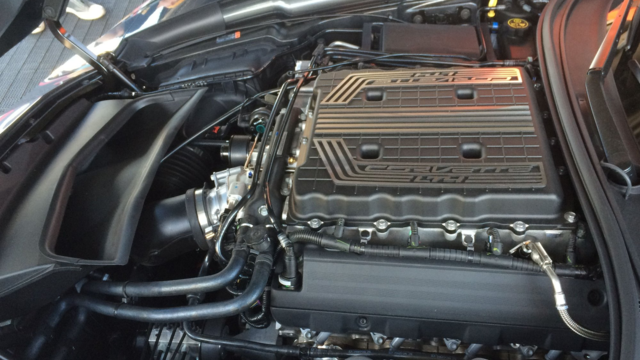
Gas Monkey Built a 6-Wheel Ferrari Testarossa With a Corvette LT4 Engine
Slideshow: The controversial Ferrari F6 swaps its original flat-12 for a Corvette Z06-derived LT4 V8 and sends power to four rear wheels through a custom-built drivetrain.
7 Most Reliable High-Performance Engines GM Has Ever Built
Slideshow:These GM engines didn't just make huge power, they survived abuse, boost, track days, and six-digit mileage with a reputation for refusing to quit.
6 Common C5 Corvette Failures and What's Involved In Repairing Them
Slideshow: From wobbling harmonic balancers to failed EBCMs, these are the issues that define long-term C5 ownership and what repairs typically involve.
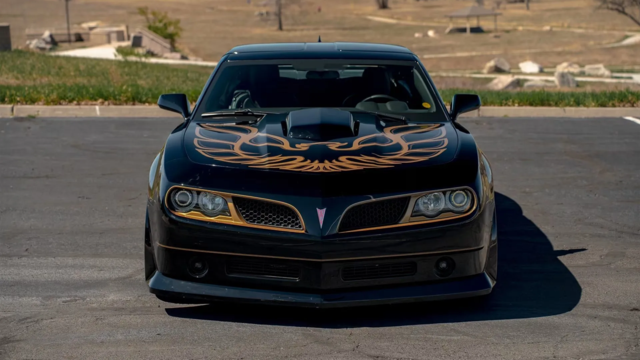
Retro Modern Bandit Pontiac Trans AM Comes With Burt Reynolds' Autograph
Slideshow: A modern Camaro transformed into a retro icon, this limited-run "Bandit" build blends nostalgia with brute force in a way few revivals manage.
Top 10 Greatest Cadillac V Series Performance Models Ever, Ranked
Slideshow: Cadillac didn't just crash the high-performance luxury vehicle party, it showed up loud, supercharged, and occasionally a little unhinged...
Coachbuilt N2A Anteros Is an LS2-Powered C6 Corvette In Italian Clothes
Slideshow: A one-off sports car that looks like a vintage Italian exotic-but hides a C6 Corvette underneath-just sold for the price of a new mid-engine Corvette.







 But I have hooked up literally 1000's of serial connections I started in IT when terminals were the big deal.
