When you click on links to various merchants on this site and make a purchase, this can result in this site earning a commission. Affiliate programs and affiliations include, but are not limited to, the eBay Partner Network.
There's nothing magical about my kitchen table OBD bench wiring harness. There are many plans and You Tube videos out there describing how to build such a harness. It's junk yard wiring for a few bucks and an old Radio Shack three amp, 13.8 VDC power supply through a small fuse and ATO fuse holder. I soldered it all together with shrink tubed connections and then loomed it with corrugated plastic wire protection.
I've got maybe three hours of work here plus my time wandering the junk yard which I regularly do anyway. There's probably a company that sells something like this harness and it should not cost a lot.
Thanks for the information. I just ordered an OBDX Pro and downloaded PCM Hammer. Any details on your bench setup to power up and read/write the PCM would be greatly appreciated.
I didn't bother with the switch, and all of my electrical connections are just wire nuts with everything zip-tied into a single bundle as a strain relief.
The 12v power supply is just a wall-wart that I had sitting around, I don't even know what it was for originally. If you search for "12v wall wart" on Amazon there are a lot of options. I don't think I've ever seen the PCM draw more than 0.8 amps but with 512kb PCMs (P01s) I think I'd go with 2A just to be sure the voltage doesn't dip when the PCM puts the flash chip into write mode. With 1mb / P59 PCMs, 1 amp should be plenty.
Thanks, I will buy a Blue connector and set up my workbench. I have a couple of Newby questions
When I connect a basic OBD2 scanner, I can read and reset problem codes, but can't pull up the VIN. Do I need to write a VIN to the PCM? If so do I use the vehicle VIN? 94 Corvette? Can I do that with PCM Hammer?
Can I delete VATS with PCM Hammer, if I decide to use the 2000 SS PCM?
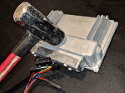
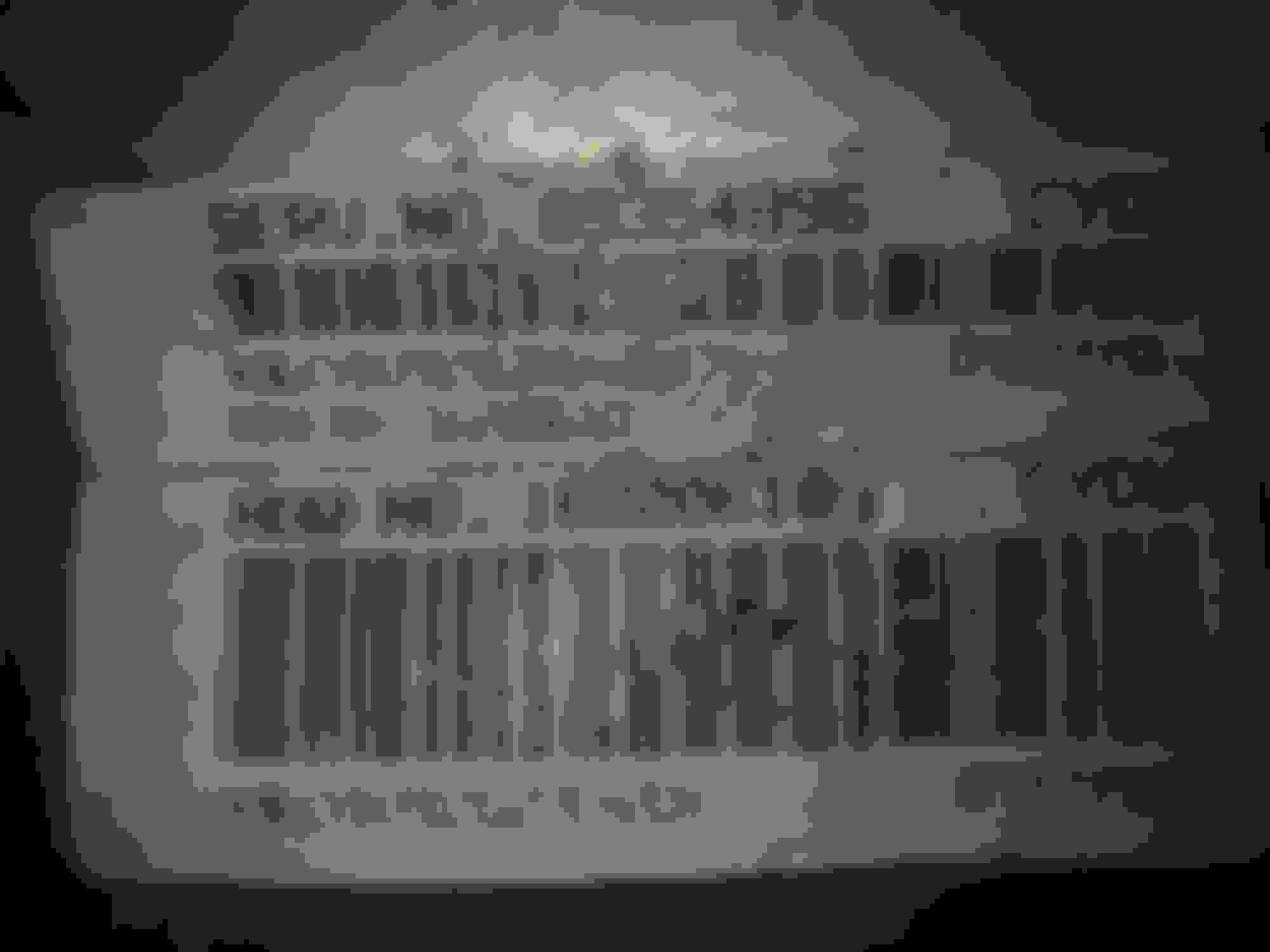
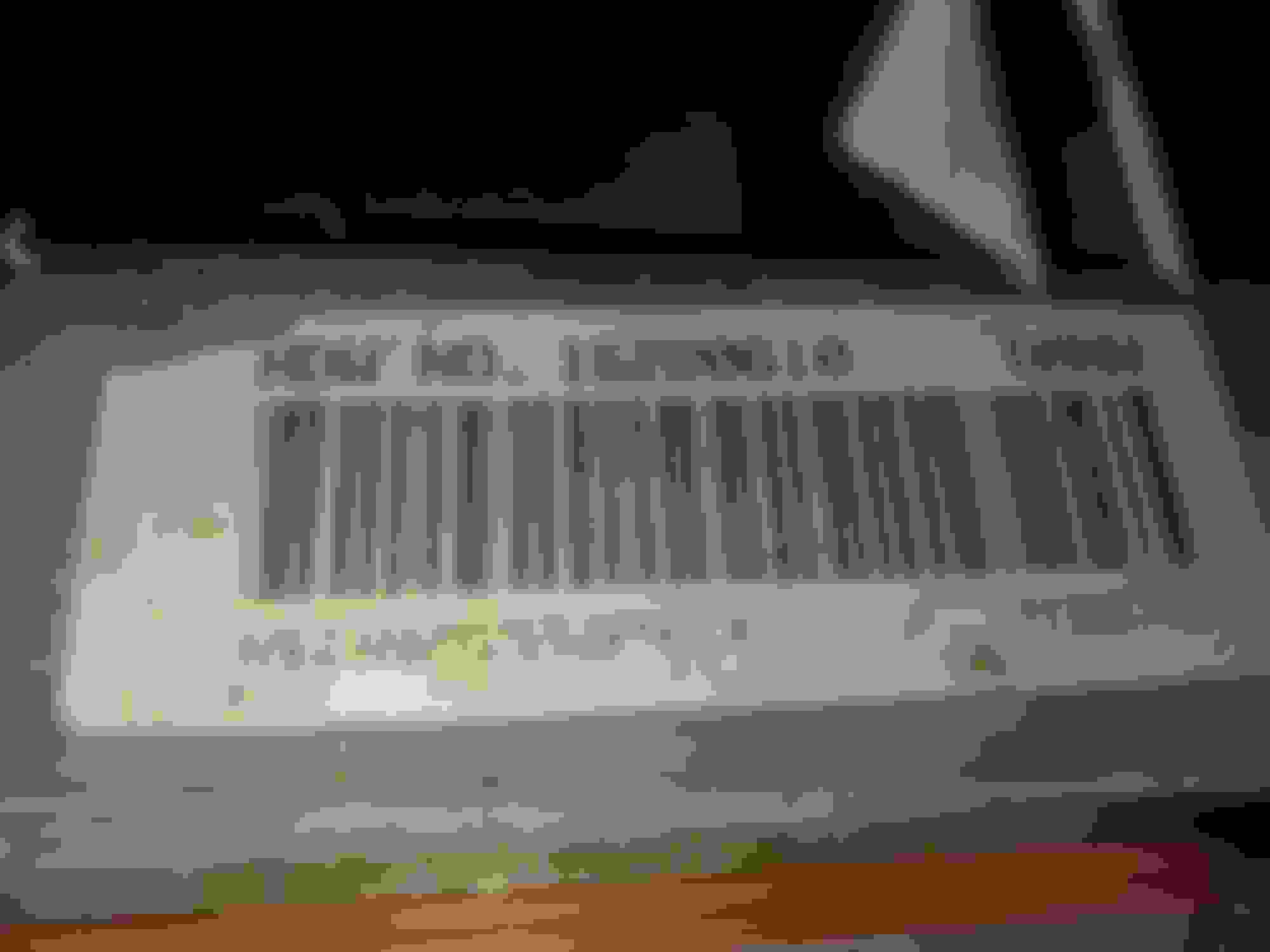
I have another PCM from a 2000 Camaro SS with the same hardware number. Some of the other numbers are different can I interchange them? Pictures are attached. From the 4.8 Engine in the 94 Corvette From a 2000 Camaro SS
VIN changes are likely only needed if you live in a state with a strict emissions control requirement that the PCM VIN matches the vehicle VIN. You could write a compatible VIN with PCM Hammer but I wouldn't if it is not necessary. The PCM typically does not care so much about the VIN, at least in my experience.
That picture is of what we call an "896" PCM - last three digits of the Service Number. It is a 512k byte PCM that should accept any 512k byte operating system. I would make a copy of whatever OS is in there now and store it but you should be able to load any 512k byte file after that.
Edit: Whatever OS you edit must have a matching XDF for the OS about to be written . . . not an XDF for whatever OS is currently in the target PCM. Basically, you are about to overwrite and abandon the old OS in the target PCM. PCM Hammer or Tuner Pro RT, for editing, this requirement is the same.
Rick
Last edited by B52bombardier1; Jul 2, 2020 at 08:27 PM.
Thanks, the 896 is n the car now, the other one is from an LS1 engine I have. It doesn't have a Service number sticker but the Hardware number is the same. I was wondering if I could use that to test without messing with the one in the car.
Downloaded TunerPro RT and BIN and XDF files to learn the software, While I wait for my OBD2 interface. I can now see how to modify the BIN.file. I am trying to lower the idle RPM. Any help would be appreciated.
Using Tuner Pro RT, open the BIN you wish to modify and open the matching XDF file that goes with it. Immediately, use File, Save As and change the name of the BIN so that you are leaving your original BIN unchanged. Don't change anything related to the XDF - it stays like it currently is.
Then, as directed in post 836 above, use the "Function F6" key Parameter Tree view and come down to "Idle", then "Table B4603" and make your idle RPM changes per my description above.
Save your BIN file often. Once you get what you think is a usable file, write it to the PCM. But remember, the XDF does NOT make the trip into the PCM with your BIN. The XDF is merely a definition file to help you view and edit what is inside the BIN. Never change the XDF.
Once the BIN is written into your PCM and you can at least start your engine with the RPM you wanted, that BIN file becomes the basis of any future work to the BIN you desire. However, do the File Save As thing again so that you ALWAYS PRESERVE your last good running BIN file. Be methodical and deliberate here to always leave yourself an Ace-In-The Hole BIN that runs so that you can flash it back into your PCM. You are going to make mistakes but don't blow your foot off here by ruining your previous known good running BIN. Go slowly here and creep up on perfection delicately until you know what you are doing. I'm still very much at this stage.
If that really is an 896 PCM then give it a try and write your 512k byte file to it. You have zero to lose here because, IIRC, that PCM is a spare for you that won't leave you walking / unable to start your engine as long as you keep your original PCM unchanged.
Speaking of spare PCM devices - I have three P01 512k devices plus a lab rat 1 megabyte P59. I pick them up for $18 on Half Price Sale Days around here and experiment with them at zero risk of leaving me with no good PCM.
Rick
Last edited by B52bombardier1; Jul 3, 2020 at 06:02 PM.
Thanks for the valuable information, I will scout around for 1 or 2 ECMs to test on. Other than the idle issue, I have to turn off some transmission Errors since I I have a 700R4 and the ECM is not set up for it. Getting a SES light.For P1860
I set up TunerPro and used some downloaded BIN and XDF files. It looks pretty good.
Now I want to upload the Bin from my PCM. I have an OBDX Pro VT, which doesn't show as supported by Tuner Pro. I need very basic instructions on how to upload the bin file. If the OBDX interface doesn't work with TPro. What software can I use with it? It is the cable only version, apparently not supported by LS-Droid.
I think I figured out that I can use PCM Hammer to read and write the Bin and TunerPro to edit it.
Last edited by johntorg; Jul 10, 2020 at 07:13 AM.
I don't understand your last post - "I have uploaded the BIN file from my ECM." Uploaded to where? I would not have begun any work at all within Tuner Pro RT or LS Droid or PCM Hammer until after I had already acquired a suitable matched BIN and XDF file. To edit a BIN with a mismatched XDF is a waste of effort. If you have "uploaded" your BIN and perhaps really mean to say that you have saved it somewhere, then OK.
Remember - it is unlikely that you will have a BIN coming out of any stock, original PCM you possess that will also have a matched XDF available for your use in editing. Possible? Yes. But there are many more GM BINs out there that nobody ever took the time to make an XDF for use with. It really only boils down to a small handful of richly featured P01 XDF files and precisely one P59 XDF file. Thusly, in all likelihood, you will be completely abandoning whatever BIN was originally inside your PCM though I do save those off and store them in case I might ever want to restore that BIN for some oddball reason.
Most people leave the OS number embedded in the file name of the BIN. If this is not the case, you can find the OS number using Tuner Pro at "System, Calibration Segment Information" - looking at Parameter Tree View.
Thanks again. Sorry for the confusion. I uploaded the Bin from the car to my laptop using PCM Hammer. I wanted to see what the idle settings looked like. Unfortunately I renamed it so I couldn't see the OS number. I opened it with TunerPro and tried a couple of XDFs but none seemed to match completely.
I won't do any updating until I can do it on a spare.
I found the OS number it is 1273010. I just wanted to look at the idle numbers to see if my problem is with the tune or the Hardware. I have already swapped the IAC and the TPS and the idle is still crazy high. There is a tune on this ECM from when the engine was installed in the 94 Corvette.
I can't find that OS number anywhere. Could it have been scrambled in some way?
Last edited by johntorg; Jul 13, 2020 at 12:45 PM.
If you don't have an XDF matched for 1273010, it'll likely be gibberish that you are looking at. Remember always - BINS must be viewed with matched XDF files. Your "1273010" OS number also appears to be missing a digit if it is actually from an 896 or 0411 PCM.
I have never seen a short numbered OS like that. Yes, I suppose using the wrong XDF could read out the OS number wrong but my experience with that situation is zero.
I have uploaded the BIN file from my ECM. How do I find the OS number so I can find the correct XDF file?
Both PCM Hammer and LS Droid can get the operating system ID from the PCM while they are connected.
I don't know how it works with LS Droid, but with PCM Hammer you just click the Read Properties button.
Using Tuner Pro to get the OS ID has a chicken-and-egg problem. You need the XDF for the OS before you can be sure you're seeing the right OS ID. But in order to choose the right XDF, you need to know what the OS ID is.... That's why you need to start by using an app to get the OS ID from a live PCM. Then you can search for the XDF for that OS ID, and then you can be sure that Tuner Pro is showing the correct OS ID.
I'm pretty sure the XDF you're using now is not the correct one for the OS that you have. The numbers it's showing just don't make sense.
I just used the verify function in PCM Hammer to check my OS number and it comes out as bad. The engine is running on this BIN, but with a crazy high idle.
[06:53:50:271] Start End Stored Needed Verdict Segment Name
[06:53:50:290] 00000 7FFFD 2FD7 869A BAD Operating system
[06:53:50:294] 08002 12DFF B8A0 B8A0 Good Engine calibration
[06:53:50:300] 12E02 169FF 9B84 9B84 Good Engine diagnostics.
[06:53:50:306] 16A02 1B9FF 8806 8806 Good Transmission calibration
[06:53:50:315] 1BA02 1C2FF 59F3 59F3 Good Transmission diagnostics
[06:53:50:323] 1C302 1D07F 3146 3146 Good Fuel system
[06:53:50:332] 1D082 1D9FF A536 A536 Good System
[06:53:50:341] 1DA02 1DAFF 0CB0 0CB0 Good Speedometer
[06:53:50:351] This file is corrupt. It would render your PCM unusable.
Yea, that OS is deader than Millard Fillmore. I'd promptly delete it and overwrite it within the PCM because there's certainly no way to fix it and I'd sure not like to be confused by it in the future.
6 Common C5 Corvette Failures and What's Involved In Repairing Them
Slideshow: From wobbling harmonic balancers to failed EBCMs, these are the issues that define long-term C5 ownership and what repairs typically involve.
Retro Modern Bandit Pontiac Trans AM Comes With Burt Reynolds' Autograph
Slideshow: A modern Camaro transformed into a retro icon, this limited-run "Bandit" build blends nostalgia with brute force in a way few revivals manage.
Top 10 Greatest Cadillac V Series Performance Models Ever, Ranked
Slideshow: Cadillac didn't just crash the high-performance luxury vehicle party, it showed up loud, supercharged, and occasionally a little unhinged...
Coachbuilt N2A Anteros Is an LS2-Powered C6 Corvette In Italian Clothes
Slideshow: A one-off sports car that looks like a vintage Italian exotic-but hides a C6 Corvette underneath-just sold for the price of a new mid-engine Corvette.